What Are Working Days and Why Exclude Weekends and Holidays?
Working days — also called business days — are the days when businesses operate, offices function, and standard professional activities occur. In most countries, working days are Monday through Friday, with Saturday and Sunday designated as weekends. However, calculating working days isn’t simply about counting weekdays. You must also account for public holidays, which vary by country, region, and even industry.
When you need to determine project deadlines, invoice due dates, contract timelines, or employee leave accrual, counting only working days gives you a realistic timeline. A simple date difference that includes weekends would give you the total calendar days, which often misrepresents actual business progress.
The most reliable way to perform this calculation is using a dedicated tool like the Date Time Difference Calculator, which can handle both basic date differences and, with the right approach, working day calculations when combined with a holiday list.
The Core Formula: From Total Days to Working Days
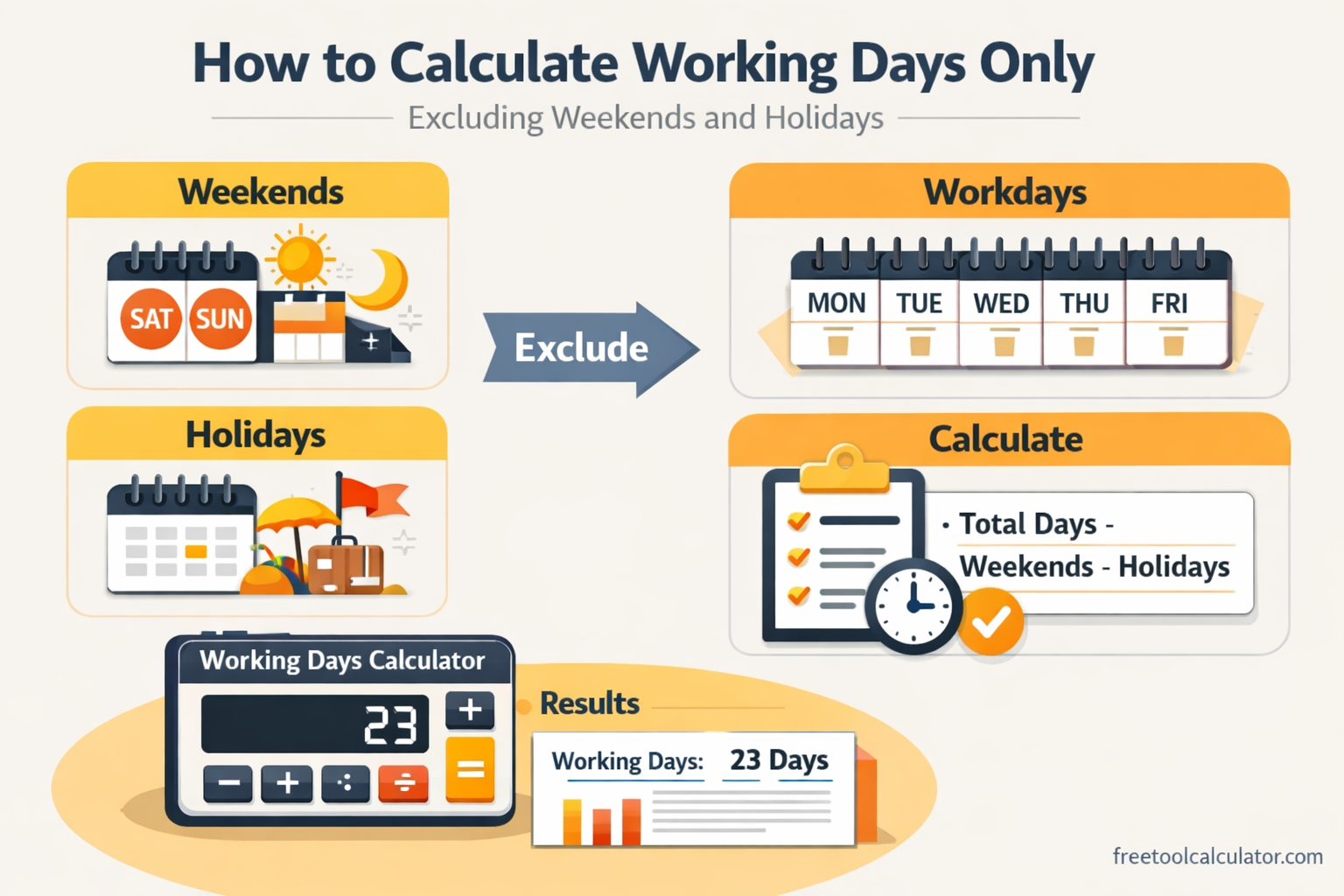
To calculate working days only, you start with the total calendar days between two dates and then subtract the non-working days. Here’s the conceptual formula:
Working Days = (End Date – Start Date) – (Weekend Days) – (Public Holidays)
Let’s break this down into actionable steps.
Step 1: Calculate the Total Calendar Days
First, determine the exact total days between your start and end dates. This is the raw difference that includes every day — Monday through Sunday. For example, if your project runs from Monday, March 1st to Friday, March 12th, the total calendar days are 12 (including both start and end depending on your counting method).
Using a date calculator like the Date Time Difference Calculator, you can instantly get this figure by entering your two dates. The tool accounts for month lengths and leap years automatically.
Step 2: Identify and Exclude Weekend Days
Weekends are typically Saturdays and Sundays. To count how many weekend days fall within your date range:
Formula for weekend days: You can count the number of Saturdays and Sundays between your two dates. A common method is to calculate total days, divide by 7 to get full weeks (each containing 2 weekend days), then add any remaining weekend days from the partial week.
For example, between March 1 (Monday) and March 12 (Friday) there are 12 total days. This includes 2 Saturdays (March 6 and March 13? Wait — March 13 is outside the range if end date is March 12). Actually, from March 1 to March 12 inclusive, the Saturdays are March 6, and Sundays are March 7 and March 14? March 14 is outside. Let’s count properly: March 1 Mon, 2 Tue, 3 Wed, 4 Thu, 5 Fri, 6 Sat, 7 Sun, 8 Mon, 9 Tue, 10 Wed, 11 Thu, 12 Fri. So weekend days = March 6 (Sat) and March 7 (Sun) = 2 weekend days.
Step 3: Subtract Public Holidays
Public holidays are the trickiest part because they are not universal. You must compile a list of holidays that fall within your date range based on the relevant jurisdiction (e.g., US federal holidays, Indian public holidays, UK bank holidays).
Continuing the example: If March 8 is a public holiday in your region, you would subtract that day as well, provided it falls on a weekday (if it falls on a weekend, it may be observed on a different day, but typically it is already excluded by the weekend count).
Step 4: Apply the Calculation
Working Days = Total Calendar Days – Weekend Days – Public Holidays
In our example: 12 total days – 2 weekend days – 1 public holiday = 9 working days.
Common Methods to Calculate Working Days
Method 1: Manual Spreadsheet Calculation
If you use Excel or Google Sheets, you can leverage built-in functions: – NETWORKDAYS(start_date, end_date, [holidays]) – This function returns the number of whole working days between two dates, excluding weekends (Saturday and Sunday by default) and any holidays you specify in a range. – NETWORKDAYS.INTL – Allows you to customize which days are considered weekends (e.g., Friday-Saturday weekend in some countries).
To use it, list your holiday dates in a separate column range, then apply the formula. This is efficient for recurring calculations.
Method 2: Using an Online Working Days Calculator
Dedicated business day calculators streamline the process. You simply enter your start date, end date, select your country or manually input holidays, and the tool returns the working day count instantly. While the Date Time Difference Calculator primarily gives total calendar days, it provides the essential foundation for working day calculations.
Method 3: Manual Counting
For short ranges, you can manually count on a calendar: 1. Mark your start and end dates. 2. Circle all Mondays through Fridays. 3. Remove any public holidays that fall on those circled dates. 4. Count the remaining circled dates.
This method is prone to human error, especially across multiple months or years, and should only be used for simple, short-term calculations.
Handling Edge Cases and Special Scenarios
Including or Excluding the Start or End Date
The way you count can vary by purpose. For legal contracts, the start date may be excluded while the end date is included. For project planning, you might include both if work happens on those days. Ensure your calculation method is consistent with your specific need.
Dealing with Partial Weeks at the Boundaries
When your date range starts mid-week or ends mid-week, the weekend count must account only for weekends that fall within the range. This is where formulas like NETWORKDAYS excel, as they handle boundary logic automatically.
Holidays That Fall on Weekends
Many organizations observe holidays on the nearest weekday if the holiday falls on a weekend. In working day calculations, you need to decide whether to count the observed day off or only the actual date. Most business day calculators treat the observed day as the non-working day.
Different Weekend Definitions
Not all countries have Saturday-Sunday weekends. In some Middle Eastern countries, the weekend is Friday-Saturday. In others, it may be a single day. Your working day calculation must reflect the correct weekend definition for your context.
Practical Applications of Working Day Calculations
Project Management and Milestones
When creating project schedules, managers estimate task durations in working days to account for realistic team availability. A task estimated at 10 working days will take two calendar weeks if no holidays interfere, but could stretch further if holidays occur.
Invoice Due Dates and Payment Terms
Common payment terms like “Net 30” often refer to calendar days, but some businesses use “Net 30 business days” to exclude weekends and holidays. Understanding the difference prevents misaligned payment expectations.
Legal and Regulatory Deadlines
Court filings, government responses, and compliance deadlines frequently use working days. Missing a deadline by even one day due to miscalculating weekends can have serious consequences.
Employee Leave and Payroll
Accrual of paid time off, sick leave, or overtime calculations sometimes rely on working days rather than calendar days, especially in shift-based or part-time employment scenarios.
Common Mistakes When Calculating Working Days
- Forgetting to adjust for holidays – Using only weekday counts without subtracting holidays overestimates available working days.
- Inconsistent start/end date inclusion – Not deciding whether to count the first or last day can lead to off-by-one errors.
- Assuming weekends are always Saturday-Sunday – Always verify the weekend definition for the relevant region or organization.
- Ignoring observed holidays – If a holiday is observed on a different date, counting only the actual date gives an incorrect result.
- Manual calculation fatigue – Trying to count weeks and holidays manually over long periods introduces mistakes; automated tools are far more reliable.
How to Use the Date Time Difference Calculator for Working Days
The Date Time Difference Calculator provides the foundation for any working day calculation: accurate total days between two dates. To leverage it for business days:
Get your total days – Enter your start and end dates (and optional times) to obtain the exact total days difference.
Calculate weekends manually or via spreadsheet – Use the total days figure to estimate weekend count, or plug the dates into NETWORKDAYS without holidays to see weekday count.
Subtract holidays – List any public holidays within your range that are not already excluded as weekends.
Apply adjustments – Determine whether to include or exclude the start/end dates per your use case.
The tool ensures your baseline calendar day count is accurate, accounting for month length variations and leap years, so you can focus on the holiday and weekend logic without worrying about foundational errors.
Conclusion
Calculating working days is a critical skill for business planning, legal compliance, and project management. The process always starts with determining the total calendar days between two dates, then systematically subtracting weekends and public holidays according to your specific context.
While manual methods using calendars or spreadsheets can work for simple cases, leveraging a reliable date difference tool like the Date Time Difference Calculator ensures your baseline is accurate. From there, you can apply weekend counts and holiday lists to arrive at true working days.
Remember that consistency matters: define whether you include or exclude the start and end dates, confirm the correct weekend definition for your location, and always account for observed holidays. With these steps, you can confidently calculate working days for any purpose — from invoice deadlines to multi-year project timelines.