Date and Time Difference Calculations
How many total days are there between two dates
The total number of days between two dates is calculated by subtracting the earlier date from the later date. This method counts every calendar day in between. Accurate calculations automatically adjust for different month lengths. This is commonly used for tracking durations and timelines.
How do you calculate time difference excluding weekends and holidays
To exclude weekends and holidays only working days are counted between the two dates. Saturdays Sundays and predefined holidays are removed from the total. Business day calculators automate this process for accuracy. This method is widely used for project deadlines and legal timeframes.
Does the calculation automatically adjust for leap years
Yes reliable date and time calculators automatically adjust for leap years. Leap years add an extra day in February which affects long term calculations. Ignoring leap years can lead to incorrect results. Modern tools always include this adjustment for precision.
How do I calculate the difference between two timestamps in hours minutes and seconds
This calculation compares the full date and time values including hours minutes and seconds. The result shows the exact elapsed time between the two moments. Consistent time formats are essential for accuracy. This is commonly used in payroll and system logging.
Should the start date or end date be included in the total count
Including or excluding dates depends on the purpose of the calculation. Legal and billing calculations often include one of the dates. Countdown and planning scenarios usually exclude the start date. Good calculators allow users to choose the preferred option.
Advanced Time Calculations
How do I account for different time zones when calculating the time difference
Time zone differences must be normalized to a single reference time such as UTC. This ensures accurate comparisons between locations. Ignoring time zones can cause hour level errors. Time calculators automatically handle these conversions.
What is the total duration between two dates expressed in weeks and days
This calculation converts total days into full weeks plus remaining days. It provides a clearer understanding of longer time periods. The result depends on whether partial weeks are included. This format is useful for planning events and milestones.
How does Daylight Saving Time affect a 24 hour time difference calculation
Daylight Saving Time can cause a day to have 23 or 25 hours. This affects hour based calculations but not calendar day counts. Accurate calculators detect these transitions automatically. This is important for precise time tracking.
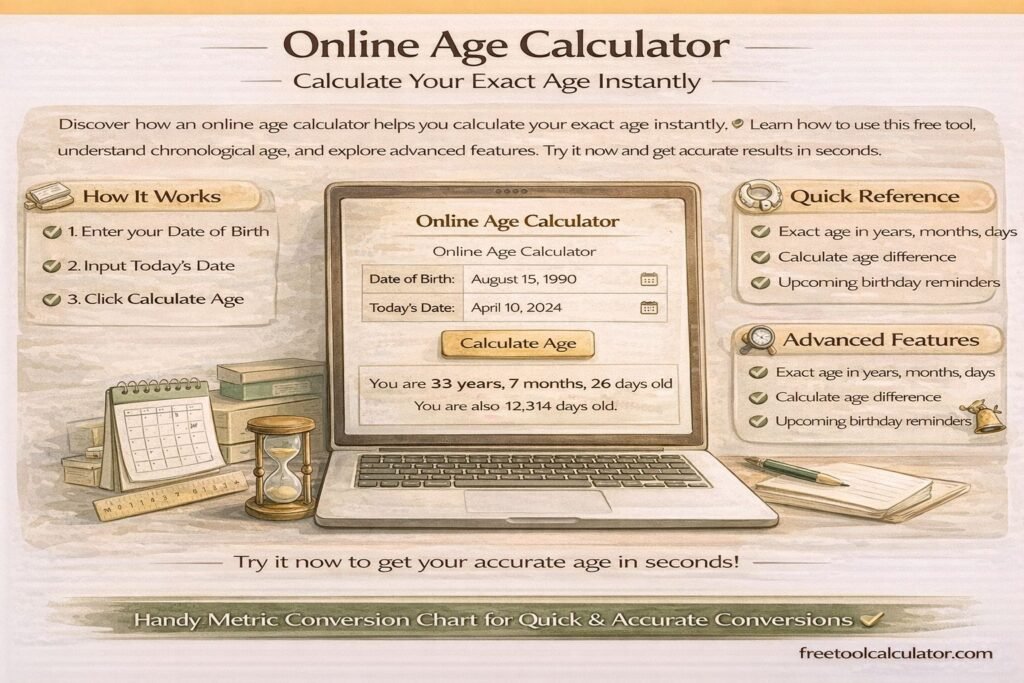
How can I find the exact age of someone in years months and days
Exact age is calculated by comparing the birth date with a reference date. The calculation accounts for varying month lengths and leap years. It provides a precise breakdown beyond age in years. This is often required for official records.
How do I add or subtract a specific amount of time such as 500 hours from a starting date
To add or subtract time the calculator converts hours into days and remaining hours. The date is then adjusted forward or backward accordingly. This method handles month changes and leap years automatically. It is useful for scheduling and forecasting.
Date Time Difference Calculator
The Date Time Difference Calculator is a practical tool for quickly determining the exact difference between two dates and times. It provides results in days, hours, minutes, and seconds, helping users plan schedules, track deadlines, calculate durations, or measure time intervals between events. Whether you are calculating how many days are left in the year, how many weeks until a specific date, or the hours and minutes between two timestamps, this calculator simplifies the process instantly and accurately.
This tool is ideal for students, professionals, project managers, and anyone who needs to measure time intervals accurately. Many people search for queries such as how many minutes, how many days left in the year, how many weeks between two dates, how long until a specific time, or how long has passed since a given date. The Date Time Difference Calculator answers these questions efficiently.
By providing clear outputs and breakdowns, this tool helps users save time, reduce calculation errors, and plan effectively. It can be used for scheduling, time tracking, event planning, countdowns, and educational purposes.
What Is a Date Time Difference Calculator?
A Date Time Difference Calculator is an online utility that calculates the time interval between two points in time. It allows for precise measurement in multiple units, including days, hours, minutes, and seconds. Unlike manual calculations, which can be time-consuming and error-prone, this calculator automates the process and provides instant results.
The calculator supports a variety of use cases, from determining how long until a specific event, to calculating durations between historical or future dates. It also helps in computing elapsed time for personal milestones, project deadlines, work hours, and countdowns to important events.
How the Tool Works
Step 1: Enter the Start Date and Time
Provide the initial date and time from which you want to measure. This could be the current time, a past event, or a planned start time for a project or task.
Step 2: Enter the End Date and Time
Input the ending date and time. The calculator will automatically account for days, hours, minutes, and seconds between the two entries, including leap years, month lengths, and time zone differences if applicable.
Step 3: Select Units for Output
You can choose to view the difference in total days, total hours, minutes, seconds, or a combination of these units. This flexibility allows you to tailor results to your specific planning needs.
Step 4: View the Difference
The calculator instantly provides the time interval between the two dates and times, including a detailed breakdown of days, hours, minutes, and seconds. Users can use this information for scheduling, countdowns, or time management.
Common Uses of a Date Time Difference Calculator
- Calculate how many days are left in the year
- Determine how many weeks or months until a specific date
- Measure the duration between work shifts, meetings, or appointments
- Track elapsed time for personal milestones or anniversaries
- Countdown to holidays, birthdays, or events
- Calculate hours and minutes for time-sensitive tasks
- Determine how many days have passed since the beginning of the year
- Compute intervals between historical or future dates
- Plan schedules and deadlines effectively
- Educational and project management purposes
Examples
Example 1: Days Remaining in the Year
If today is September 3rd and you want to know how many days are left until December 31st, the calculator provides an accurate count of remaining days, including partial months and leap year considerations.
Example 2: Hours Between Two Times
To determine how many hours are between 8:30 AM and 4:30 PM on the same day, enter the start and end times. The calculator will display 8 hours, and optionally, the minutes and seconds breakdown as well.
Example 3: Weeks Between Two Dates
Planning a project that starts on October 4th and ends on November 1st? The calculator computes the exact number of weeks and days between these dates to help schedule tasks and resources.
Understanding Related Concepts
Elapsed Time
Elapsed time refers to the amount of time that has passed between two events. This calculator measures elapsed time in precise units, allowing for accurate tracking.
Countdowns and Deadlines
Use the calculator to determine how long until a specific event, such as holidays, appointments, or deadlines. Results in days, hours, and minutes help with planning.
Time Zone Considerations
For international events or cross-timezone scheduling, adjusting input times for different time zones ensures accurate differences are calculated.
Leap Years and Month Lengths
The calculator accounts for varying month lengths, including February in leap years, ensuring precise day counts in annual calculations.
Popular Questions and How They Are Answered
How many days are left in the year?
Enter today’s date as the start date and December 31st as the end date. The calculator provides the exact number of remaining days.
How many weeks are between two dates?
Provide the start and end dates. The calculator will display the total number of weeks and additional days between the dates.
How many minutes until a specific time?
Enter the current time as the start and the target time as the end. The calculator computes the difference in hours and minutes, including seconds if needed.
How long ago was a certain date?
Input the past date as the start and the current date as the end. The calculator provides the elapsed time in days, hours, minutes, and seconds.
How long until a specific date and time?
Set the current date and time as the start and the target date and time as the end. The calculator returns the total difference for planning and countdown purposes.
How many days in two months?
The calculator accounts for the exact number of days in the selected months, including February for leap years.
How many years and months since a given date?
Enter the start date and current date. The tool calculates the full number of years and remaining months to provide a clear age or duration estimate.
Why This Tool Is Useful
Accurate Time Measurement
Manual calculations of date and time differences are prone to errors due to varying month lengths, leap years, and time zones. The calculator ensures precise results.
Planning and Scheduling
Project managers, event planners, and students can use the calculator to track deadlines, plan timelines, and schedule activities efficiently.
Educational Use
Students learning date and time arithmetic or using Excel for subtracting dates can cross-check their calculations using this online tool.
Common Mistakes When Calculating Date and Time Differences
Ignoring Leap Years
Calculations that do not account for leap years may result in errors in annual day counts.
Not Accounting for Time Zones
When measuring differences across time zones, adjustments are necessary to obtain accurate results.
Misunderstanding Input Format
Incorrect date or time formats can produce inaccurate calculations. Always use the recommended format for start and end inputs.
Assuming Uniform Month Lengths
Different months have different numbers of days. The calculator automatically handles this variation.
Benefits of Using the Date Time Difference Calculator
- Instant calculation of days, hours, minutes, and seconds
- Accurate results accounting for leap years and month lengths
- Supports planning, deadlines, and countdowns
- Reduces errors compared to manual calculation
- Useful for work, education, and personal scheduling
- Supports both past and future date calculations
- Flexible unit selection for customized results
- Free and easy-to-use online tool
- Provides clarity for long-term planning and short-term scheduling
- Applicable to event management, travel planning, and daily time tracking
Frequently Asked Questions
How many days are left this year?
Enter today’s date as the start and December 31st as the end date to see the number of days remaining.
How many hours is it from 8:30 to 4:30?
Input the start and end times. The calculator shows 8 hours, with optional minutes and seconds breakdown.
How many weeks between two dates?
Provide start and end dates. The tool calculates full weeks and extra days for precise scheduling.
How long until 12:30 or 2:15?
Enter the current time and target time. The calculator returns the difference in hours and minutes.
How many days are in two months?
Choose the months and the year to account for leap years and varying month lengths accurately.
How do you calculate time manually?
Manual calculations involve subtracting dates and times, considering month lengths, leap years, and converting hours and minutes. The calculator automates this process for accuracy.
Why Trust This Tool?
The Date Time Difference Calculator follows standardized date and time arithmetic principles, accounting for leap years, varying month lengths, and time intervals. It provides precise, reliable results for planning, scheduling, and tracking purposes. While it is intended for educational, professional, and personal use, it ensures transparency in calculations and ease of use for all users.
Get Started Today
Use the Date Time Difference Calculator to measure time intervals accurately. Determine how many days, hours, minutes, and seconds have passed or remain between any two dates and times. Plan events, track milestones, schedule deadlines, and manage daily activities efficiently with this intuitive, free, and reliable online tool.