Color Theme Generator – Create Beautiful Website and App Color Palettes Instantly
Choosing the right colors is one of the most important parts of creating a website, app, brand, or digital product. A well-balanced color scheme improves user experience, strengthens branding, and creates visual harmony. This Color Theme Generator helps you generate a complete five-color palette from a single primary color.
Our Color Theme Generator automatically creates a primary, secondary, and accent color along with two additional palette colors. You can preview the theme instantly, check contrast ratios, and copy HEX values or CSS variables for immediate use.
Whether you need a website color theme generator, bootstrap color theme generator, tailwind color theme generator, or dark theme color palette generator, this tool makes creating professional color schemes easy.
What Is a Color Theme Generator?
A Color Theme Generator is an online tool that automatically creates harmonious color combinations based on color theory principles. Instead of manually selecting colors, users can generate balanced palettes suitable for websites, apps, branding, and graphic design projects.
The generated palette contains:
- Primary color
- Secondary color
- Accent color
- Extra palette color 1
- Extra palette color 2
The tool also generates copy-ready HEX values and CSS variables to speed up development.
Why Color Themes Matter
Colors influence user perception, trust, and usability. Professional websites and applications rely on consistent color systems to improve readability and create strong brand identity.
Improves User Experience
Consistent colors make interfaces easier to understand and navigate.
Strengthens Branding
Brands become memorable when colors remain consistent across websites, social media, and marketing materials.
Enhances Accessibility
Proper color contrast improves readability and helps meet WCAG accessibility standards.
Speeds Up Design Workflow
Predefined themes eliminate guesswork and save time during development.
How the Color Theme Generator Works
Step 1: Select a Primary Color
Choose your base color using the color picker or enter a HEX code.
Examples:
- #2563EB
- #16A34A
- #EF4444
- #8B5CF6
Step 2: Generate a Theme
The generator automatically creates a secondary color, accent color, and two complementary colors to form a balanced five-color palette.
Step 3: Preview the Palette
See how the colors work together before implementing them.
Step 4: Check Contrast
The built-in contrast checker helps ensure readability and accessibility.
Step 5: Copy HEX Values and CSS Variables
Export colors directly into your project.
Website Color Theme Generator
A website color theme generator helps designers and developers build visually appealing websites with balanced color systems.
Primary Color
Usually used for buttons, navigation menus, and call-to-action elements.
Secondary Color
Provides support for cards, sections, and layout elements.
Accent Color
Used to highlight important information and interactive elements.
Supporting Colors
Additional colors help create depth and visual harmony.
AI Color Theme Generator
An AI color theme generator uses machine learning and color theory to create attractive palettes automatically. AI-generated themes can provide unique combinations that maintain visual balance.
AI themes are useful for:
- Branding projects
- Website design
- UI and UX systems
- Presentations
- Social media graphics
Color Theme Generator From Image
A color theme generator from image extracts dominant colors from photos, logos, or artwork and creates coordinated palettes automatically.
This is useful for:
- Brand identity design
- Photography themes
- Marketing graphics
- Product packaging
- Logo redesign projects
Dark Theme Color Palette Generator
Dark mode has become increasingly popular because it reduces eye strain and improves battery efficiency on OLED screens.
Common Dark Theme Colors
- Background: #121212
- Surface: #1E1E1E
- Primary: Blue or Purple
- Text: White or Light Gray
A dark theme color generator helps create visually appealing and accessible dark interfaces.
Light Theme Color Palette Generator
Light themes provide excellent readability and remain popular for blogs, business websites, and educational platforms.
Typical light themes include:
- White backgrounds
- Dark text
- Soft gray sections
- Blue accent colors
Bootstrap Color Theme Generator
A Bootstrap color theme generator helps developers customize Bootstrap 5 components and create cohesive user interfaces.
Common Bootstrap Theme Colors
- Primary
- Secondary
- Success
- Warning
- Danger
- Info
Generated colors work perfectly with Bootstrap components and utilities.
Tailwind Color Theme Generator
A Tailwind color theme generator simplifies color management in Tailwind CSS projects.
Tailwind developers commonly use theme generators for:
- React applications
- Next.js projects
- Dashboards
- SaaS platforms
- Admin panels
Material Design Color Theme Generator
Material Design emphasizes consistency and accessibility. A material design color theme generator creates colors suitable for Android applications and modern websites.
Material Design Color System
- Primary
- Secondary
- Surface
- Background
- Error colors
This approach ensures consistent user experiences.
Android Color Theme Generator
An Android color theme generator creates palettes that align with Material You principles and modern mobile design standards.
These themes are ideal for:
- Android apps
- Flutter applications
- Ionic projects
- Cross-platform interfaces
CSS Color Theme Generator
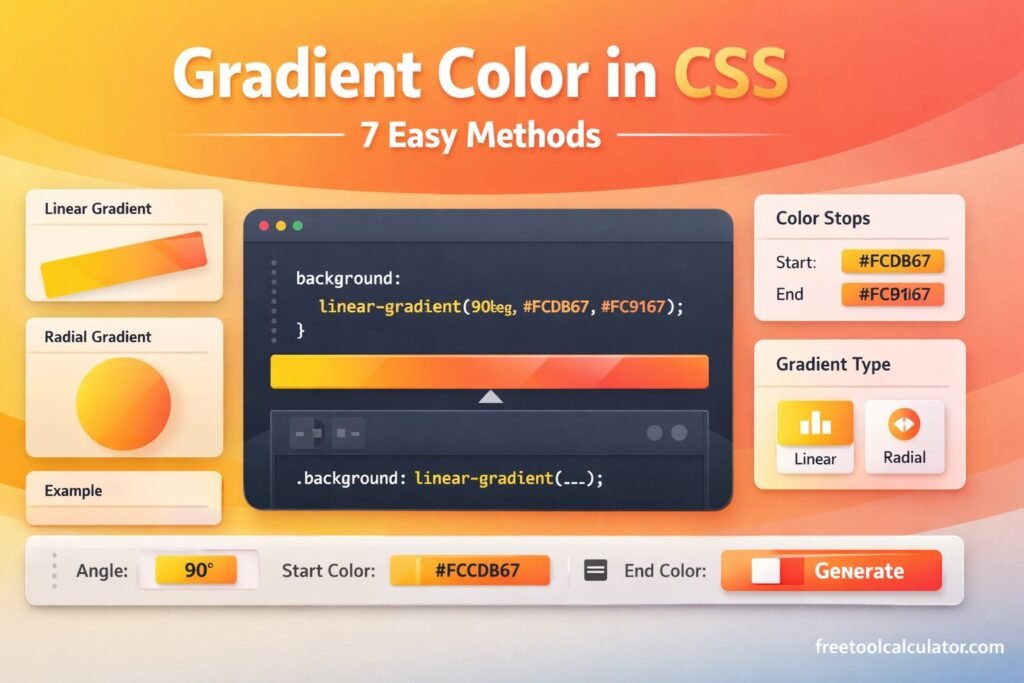
Developers often need CSS variables for easier maintenance and scalability.
Example variables include:
:root{
--primary:#2563EB;
--secondary:#8B5CF6;
--accent:#F59E0B;
--extra1:#14B8A6;
--extra2:#F43F5E;
}
Using CSS variables improves consistency and simplifies future updates.
HEX Color Theme Generator
A HEX color theme generator creates palettes that work across virtually all design tools and web technologies.
HEX colors are widely used in:
- CSS
- HTML
- Photoshop
- Figma
- Canva
- Webflow
UI Color Theme Generator
A UI color theme generator helps designers create scalable interfaces with consistent colors for buttons, forms, cards, navigation bars, and alerts.
Well-designed UI color systems improve usability and aesthetics.
Random Color Theme Generator
A random color theme generator creates unexpected color combinations that can inspire creativity.
Random themes are useful for:
- Illustrations
- Posters
- Brand identities
- Games
- Creative projects
Power BI Color Theme Generator
Power BI dashboards benefit from structured color palettes that improve readability and make data easier to understand.
Consistent colors enhance:
- Charts
- Graphs
- Reports
- Data visualizations
VS Code Theme Color Generator
A VS Code color theme generator allows developers to customize editor colors and improve coding comfort.
Common elements include:
- Background colors
- Keywords
- Variables
- Comments
- Strings
- Syntax highlighting
Brand Color Theme Generator
Businesses use color themes to establish identity and create consistent experiences.
Blue
Represents trust and professionalism.
Green
Associated with health and sustainability.
Red
Represents excitement and energy.
Purple
Suggests creativity and luxury.
Black
Communicates elegance and sophistication.
Accessibility and Contrast Checking
A good color theme should be beautiful and readable. Contrast checking helps ensure text remains visible against backgrounds and meets WCAG accessibility standards.
Proper contrast improves:
- Accessibility
- Readability
- User experience
- Mobile usability
Benefits of Using a Color Theme Generator
Saves Time
Generate professional color palettes instantly.
Improves Design Quality
Balanced themes create polished interfaces.
Supports Developers
Copy CSS variables and HEX codes directly.
Enhances Branding
Maintain consistency across platforms.
Works Across Multiple Industries
Useful for websites, apps, presentations, dashboards, and marketing materials.
Who Uses Color Theme Generators?
- Web designers
- Developers
- UI and UX designers
- Graphic designers
- Branding agencies
- Mobile app developers
- Power BI analysts
- Content creators
- Digital marketers
Why Trust This Color Theme Generator?
This Color Theme Generator is built around established color theory principles and accessibility standards. It creates harmonious five-color palettes, previews colors instantly, checks contrast ratios, and provides copy-ready HEX values and CSS variables for practical implementation.
Whether you need a website color theme generator, bootstrap theme color generator, tailwind theme color generator, material design color theme generator, or dark theme color palette generator, this tool offers a reliable and efficient solution.
Create Professional Color Themes Instantly
Use the Color Theme Generator to generate a complete five-color palette from your primary color. Preview themes instantly, verify accessibility, and copy HEX values or CSS variables for websites, apps, branding, and design systems with ease.