element-4.png

Meeting Time Zone Planner – Best Time Finder

Meeting time zone planner plan meetings across time zones, compare working hours, find overlaps instantly, and copy a shareable schedule for everyone.

Meeting Time Zone Planner

Pick a date, add time zones, and instantly find overlap windows for the best meeting time.

Planner Inputs

How it works
You choose a base time and add time zones. The tool converts times using your browser’s built-in time zone database (no API).
Uses the selected date for all conversions.
Set your starting reference time.
Default uses your detected time zone.
Used to validate overlap windows.
Local working hours for each zone.
Example: 17:00 = 5 PM.
You can leave a participant empty if you only need 2–3 time zones.

Converted Times & Overlap

Not calculated
Overlap Score
0 / 100
0%
Green = everyone within working hours. Yellow = some near edges. Red = outside working hours.
Times by Participant
ParticipantTime ZoneLocal TimeStatus
Calculate to see converted times.
Best Overlap Windows (Next 24 Hours)
Overlap Window
Recommendation
Start (Base TZ)Quality
Calculate to see suggested windows.
Suggestions are computed using your selected working hours for each time zone on the selected date.

Meeting Time Zone Planner | Schedule Meetings Across Time Zones

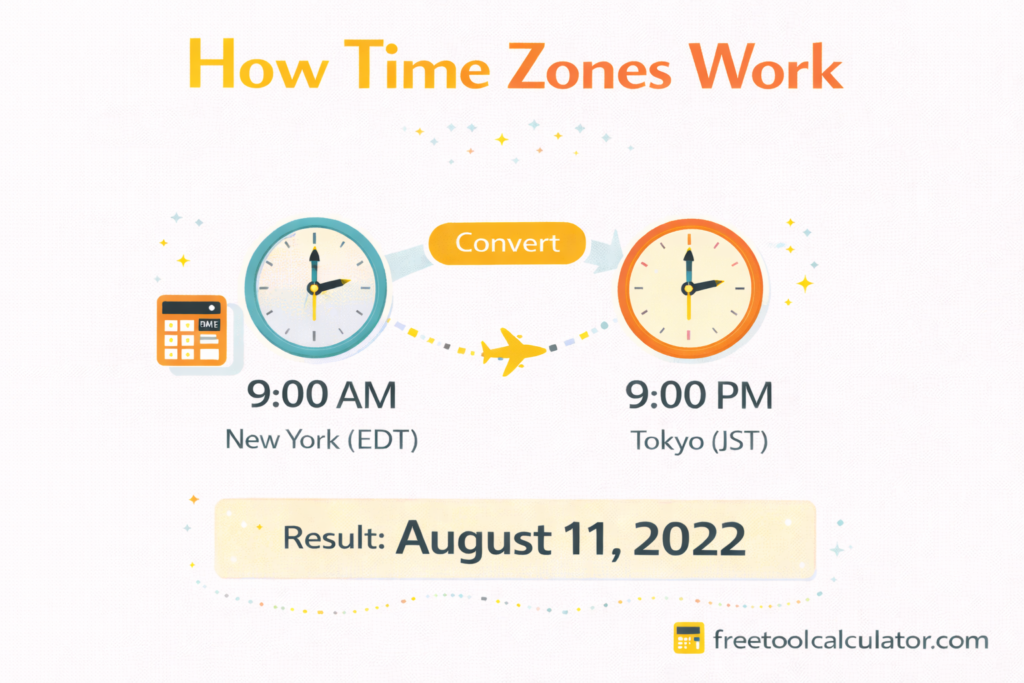
A Meeting Time Zone Planner is a practical tool that helps teams, clients, and remote workers schedule meetings across different time zones without confusion. Instead of manually converting times or risking missed calls, this planner shows the best overlapping times for all participants instantly.

Why Time Zone Planning Is Important

With global teams and international clients, time zone differences are a common challenge. A small mistake in conversion can lead to late meetings, missed calls, or poor coordination. A reliable time zone planner ensures everyone joins at the correct local time.

How a Meeting Time Zone Planner Works

A Meeting Time Zone Planner allows users to select multiple cities or time zones and choose a preferred meeting window. The tool automatically converts the time for each participant and highlights overlapping working hours, making scheduling fast and accurate.

What Users Get as Output

Once the details are entered, the planner provides:

  • Local meeting time for each participant
  • Clear overlap windows across time zones
  • Day and date adjustments for different regions
  • Easy-to-share meeting time details

This removes guesswork and improves communication.

Who Should Use a Time Zone Planner

  • Remote and distributed teams
  • Freelancers working with international clients
  • Global businesses and agencies
  • Recruiters scheduling interviews
  • Online educators and webinar hosts

Final Thoughts

A Meeting Time Zone Planner makes global collaboration simple and stress-free. By clearly showing the best meeting times for all participants, it helps teams stay organized, professional, and perfectly aligned across time zones.

More Tools

Video Compressor

Compress video files online privately with quality control, browser-based processing, preview comparison, and instant download using this free tool.

Energy Consumption Calculator

Calculate appliance electricity usage, daily kWh, monthly kWh, and estimated energy cost using this simple free energy calculator.

Amps to Kilowatts Calculator

Convert amps to kilowatts easily using voltage and power factor for accurate electrical calculations with this simple free calculator.

Cat Age Calculator

Cat Age Calculator. Calculate your cat’s age in human years using life stages and accurate formulas with this simple free cat age calculator.

Simon Says Memory Game

Play Simon Says memory game online and repeat color patterns to test focus, memory, and reaction skills for free.

Hangman Word Guessing Game

Play Hangman Game online and guess the hidden word with limited lives using this simple and fun free browser-based game.