What is a CGPA calculator
A CGPA calculator is an online tool that helps students calculate their Cumulative Grade Point Average quickly and accurately. CGPA represents overall academic performance across multiple semesters or courses. This calculator removes manual errors and saves time. It is widely used by school college and university students.
What does CGPA mean
CGPA stands for Cumulative Grade Point Average. It is the average of grade points obtained in all subjects over a period of study. CGPA is commonly used in academic evaluations admissions and job applications. It provides a standardized way to measure performance.
How does a CGPA calculator work
The calculator multiplies each subject grade point by its credit value. It then adds all weighted grade points and divides by the total credits. This follows the standard CGPA formula used by most institutions. The result is displayed instantly.
What information do I need to calculate CGPA
You need to enter the grade points and credit hours for each subject or semester. Some calculators allow direct grade input such as A B or C. Accurate credit values are essential for correct results. No personal data is required.
What is the formula used to calculate CGPA
The CGPA formula is total grade points earned divided by total credit hours. Each subject contributes based on its credit weight. This ensures fair evaluation of major and minor courses. The calculator applies this formula automatically.
How is CGPA different from GPA
GPA usually refers to Grade Point Average for a single semester or term. CGPA reflects performance across all semesters combined. CGPA gives a broader view of academic consistency. Both are important but used differently.
Can I convert CGPA to percentage
Yes many institutions convert CGPA to percentage using a fixed formula. Commonly CGPA is multiplied by a specific factor such as 9.5 or 10. The exact method depends on the education system. The calculator may assist with this conversion.
Is this CGPA calculator useful for students
Yes students use it to track academic progress and set goals. It helps estimate eligibility for scholarships admissions and internships. Regular use supports better planning. It reduces confusion around grade calculations.
Can professionals or institutions use a CGPA calculator
Educators and academic counselors use CGPA calculations for evaluations. It helps assess overall student performance efficiently. While official records come from institutions the calculator is useful for quick reference. It supports transparency.
Does the calculator support different grading systems
Many CGPA calculators support common grading scales. These include 4.0 scale 5.0 scale and 10.0 scale systems. Users should select the appropriate scale if available. This ensures accurate results.
Is this CGPA calculator free to use
Yes this CGPA calculator is completely free. No registration or payment is required. Results are instant and private. You can use it unlimited times.
CGPA Calculator – Calculate CGPA Online with Credits, Grades, and Semester Results
A CGPA Calculator helps students calculate their Cumulative Grade Point Average (CGPA) accurately by entering subjects, course credits, and grades. Whether you’re a university student tracking academic performance, preparing for scholarships, applying for higher education, or monitoring graduation requirements, knowing your CGPA is essential.
This free online CGPA Calculator allows you to enter multiple subjects, assign credit hours, select grades, and instantly calculate your cumulative GPA with a clear academic breakdown. If you’ve searched for how to calculate CGPA, how to calculate CGPA in university, how is CGPA calculated, or how to calculate CGPA in Excel, this guide explains everything you need to know.
What Is CGPA?
CGPA stands for Cumulative Grade Point Average. It is a standardized method used by schools, colleges, and universities to evaluate a student’s overall academic performance across multiple courses, semesters, or academic years.
Unlike a single semester GPA, CGPA reflects your cumulative performance throughout your academic program.
Why CGPA Matters
CGPA plays an important role in academic and professional opportunities. Universities, scholarship providers, employers, and graduate programs often use CGPA as one factor when evaluating candidates.
- University admissions
- Scholarship eligibility
- Internship applications
- Job applications
- Graduate school admissions
- Academic standing requirements
How Is CGPA Calculated?
One of the most common questions students ask is how is CGPA calculated. The calculation is based on the grade points earned in each subject and the credit hours assigned to those subjects.
CGPA Formula
CGPA = Total Grade Points Earned ÷ Total Credit Hours
The process involves multiplying the grade point of each course by its credit hours, adding all grade points together, and dividing the result by the total number of credits completed.
Example of CGPA Calculation
Suppose a student completes four courses:
| Subject | Credits | Grade Point | Quality Points |
|---|---|---|---|
| Mathematics | 3 | 4.0 | 12.0 |
| Physics | 4 | 3.5 | 14.0 |
| English | 3 | 3.7 | 11.1 |
| Computer Science | 4 | 4.0 | 16.0 |
Total Quality Points = 53.1
Total Credits = 14
CGPA = 53.1 ÷ 14 = 3.79
How to Calculate CGPA
Many students search for how to calculate CGPA, how to calculate a CGPA, how can I calculate CGPA, how can we calculate CGPA, and how do we calculate CGPA.
The process can be broken into a few simple steps.
Step 1: List All Subjects
Write down all completed courses that contribute to your academic record.
Step 2: Note Credit Hours
Record the credit value assigned to each course.
Step 3: Convert Grades to Grade Points
Convert letter grades into grade-point values according to your institution’s grading scale.
Step 4: Calculate Quality Points
Multiply each course’s credit hours by its grade point.
Step 5: Add Total Credits
Calculate the sum of all credit hours.
Step 6: Add Total Quality Points
Calculate the sum of all quality points earned.
Step 7: Divide Quality Points by Credits
The final result is your CGPA.
How to Calculate CGPA in University
Many students specifically search for how to calculate CGPA in university because university grading systems often involve different credit structures and semester-based calculations.
Most universities calculate CGPA using cumulative grade points earned across all semesters. Every completed course contributes to the final CGPA according to its credit weight.
Credit-Based Systems
Universities commonly assign more weight to courses with higher credit values. A 4-credit course influences CGPA more than a 2-credit course.
Semester Contributions
Each semester GPA contributes to the cumulative academic record, gradually forming the final CGPA.
Difference Between GPA and CGPA
Students often search for how to calculate GPA and CGPA because the two terms are sometimes confused.
What Is GPA?
GPA usually refers to Grade Point Average for a single semester, term, or academic period.
What Is CGPA?
CGPA refers to the cumulative average across multiple semesters or the entire academic program.
Key Difference
- GPA = One semester or term
- CGPA = Entire academic record
How to Calculate CGPA from GPA
Another common question is how to calculate CGPA from GPA.
If you have multiple semester GPAs, you can calculate CGPA by considering the credit hours completed in each semester.
Weighted Average Method
Simply averaging semester GPAs may not always be accurate because semesters often contain different numbers of credit hours.
A weighted average based on completed credits usually provides the correct CGPA.
Understanding Grade Point Systems
Different institutions use different grading scales.
4.0 Scale
The 4.0 scale is one of the most common grading systems worldwide.
| Grade | Grade Point |
|---|---|
| A | 4.0 |
| A- | 3.7 |
| B+ | 3.3 |
| B | 3.0 |
| C | 2.0 |
| D | 1.0 |
| F | 0.0 |
5.0 Scale
Some educational institutions use a 5.0 CGPA scale instead of a 4.0 scale.
10-Point Scale
Many universities and examination boards use a 10-point CGPA system.
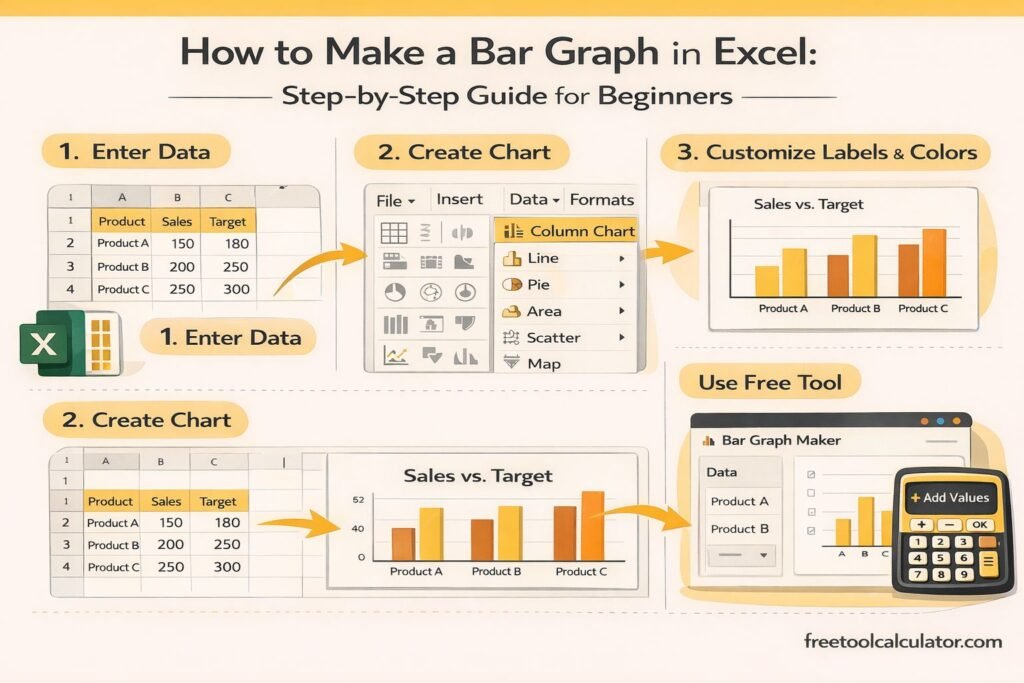
How to Calculate CGPA in Excel
Students frequently search for how to calculate CGPA in Excel because spreadsheets make calculations easier and reduce errors.
Step 1: Create Columns
Create columns for:
- Subject Name
- Credit Hours
- Grade Point
- Quality Points
Step 2: Calculate Quality Points
Multiply credit hours by grade points for each subject.
Step 3: Calculate Totals
Use Excel’s SUM function to add all credits and quality points.
Step 4: Calculate CGPA
Divide total quality points by total credit hours.
This method is useful for tracking academic performance throughout a degree program.
Benefits of Using a CGPA Calculator
Manual calculations can be time-consuming and prone to mistakes. A CGPA Calculator automates the process and provides instant results.
Fast Calculations
Students can calculate CGPA within seconds.
Improved Accuracy
Automated calculations reduce mathematical errors.
Credit-Based Weighting
The calculator correctly accounts for varying credit hours.
Academic Planning
Students can estimate future CGPA targets and monitor progress toward academic goals.
How to Improve Your CGPA
Many students use CGPA calculators to identify opportunities for improvement.
Focus on High-Credit Courses
Courses with more credit hours have a greater impact on CGPA.
Track Academic Progress
Regularly calculating your CGPA helps identify performance trends early.
Seek Academic Support
Tutoring, study groups, and academic advising can help improve grades.
Develop Better Study Habits
Consistent study schedules often contribute to stronger academic performance.
Common CGPA Calculation Mistakes
Ignoring Credit Hours
Simply averaging grades without considering credit weight can produce inaccurate results.
Using Incorrect Grade Values
Always verify the grading scale used by your institution.
Missing Courses
For accurate results, include all applicable courses in the calculation.
Rounding Too Early
Rounding intermediate calculations may affect final CGPA accuracy.
Why Universities Use CGPA
CGPA provides a standardized method for evaluating academic performance across multiple courses and semesters.
Because it incorporates both grades and course credits, CGPA offers a more comprehensive measure of achievement than individual course scores alone.
Academic Evaluation
Universities use CGPA to determine honors, distinctions, scholarships, and graduation eligibility.
Admissions Decisions
Graduate schools often consider CGPA when reviewing applications.
Employment Applications
Some employers use CGPA as one factor when evaluating recent graduates.
Why Trust This CGPA Calculator?
This CGPA Calculator uses standard academic calculation methods based on credit hours and grade points. The formulas are consistent with commonly used university grading systems and provide accurate cumulative GPA calculations.
The calculator is designed for educational purposes and helps students understand their academic performance quickly and easily.
Calculate Your CGPA Today
Use our free CGPA Calculator to calculate CGPA online by entering subjects, credits, and grades. Instantly view your cumulative GPA, academic breakdown, and performance summary without complicated manual calculations.
Whether you’re learning how to calculate CGPA, calculating CGPA in university, converting GPA into CGPA, or building a CGPA spreadsheet in Excel, this tool provides a fast and reliable solution for tracking academic success.