element-4.png

Video Compressor Online Free

Compress video files online privately with quality control, browser-based processing, preview comparison, and instant download using this free tool.

Video Compressor

Compress your video file online with private browser-based processing.

Your file stays in your browser and is not uploaded to a server.
Result will appear here
Size Reduced
Original Video
No video selected
Compressed Video
Compressed video will appear here
Compressing Video
0%

Original
Compressed
Status
Ready
Compression Info
Upload a video and click compress to see details.
This browser-based version exports compressed video as WEBM when supported by your browser.

What Is a Video Compressor? (Complete Beginner Guide)

A video compressor is a tool that reduces the file size of a video while keeping the visual quality as close to the original as possible. It works by optimizing video data using advanced encoding techniques and modern codecs like H.264, H.265, and AV1. Video compressors are commonly used for uploading videos to YouTube, sending files through email, saving storage space, and improving website loading speed. Smaller video files are easier to share and stream online. Most compressors allow users to adjust resolution, bitrate, and quality settings based on their needs. Some tools are desktop applications, while others work directly in a web browser. A good video compressor balances quality, speed, and file size efficiently.

How Video Compressors Work (Without Losing Quality)

Video compressors work by analyzing video frames and removing unnecessary or repetitive data that viewers are unlikely to notice. Modern codecs such as H.264, HEVC (H.265), and AV1 use advanced compression algorithms to reduce file size efficiently. Instead of storing every frame completely, compressors save only changes between frames when possible. This dramatically lowers file size while preserving visual clarity. Many tools also optimize bitrate, resolution, and frame rates intelligently. Lossless compression preserves quality completely but achieves smaller reductions, while lossy compression slightly reduces quality for much smaller files. With proper settings, most users cannot visually detect quality loss after compression.

How to Compress Videos Without Losing Quality

To compress videos without noticeable quality loss, choose a modern codec such as H.265 or AV1 because they provide better compression efficiency than older formats. Lower the bitrate carefully instead of drastically reducing resolution. Use tools like HandBrake that support CRF (Constant Rate Factor) encoding, which maintains consistent visual quality automatically. Two-pass encoding can also improve results by analyzing the video before final compression. Avoid repeatedly compressing the same file, as this can degrade quality over time. Start with high-quality source footage whenever possible. Proper settings can significantly reduce file size while keeping videos sharp and professional-looking.

How to Compress Videos for YouTube (Best Settings)

For YouTube, the best compression settings usually involve exporting videos in MP4 format using the H.264 codec. Keep the resolution at 1080p or 720p depending on your original footage. Recommended bitrates are around 8 Mbps for 1080p and 5 Mbps for 720p videos. Use AAC audio encoding at 320 kbps for good sound quality. HandBrake and other compressors provide YouTube presets that simplify this process. Avoid over-compressing because YouTube reprocesses uploaded videos automatically. Proper compression helps reduce upload times while maintaining excellent playback quality for viewers.

How to Use HandBrake Video Compressor (Step-by-Step)

To use HandBrake, first install the software and open your video file using the “Open Source” button. Choose a preset based on your target platform, such as “Fast 1080p30.” Select MP4 as the output format for maximum compatibility. Adjust settings like resolution, bitrate, or encoder if needed. Choose where to save the compressed file, then click “Start Encode.” HandBrake will process the video and create a smaller optimized version. It is one of the most powerful free video compressors available because it offers advanced controls while remaining beginner-friendly.

Does Windows Have a Built-In Video Compressor?

Yes, Windows includes basic video compression options through apps like Clipchamp and the Photos app. Clipchamp allows users to export videos at lower resolutions and smaller file sizes directly from Windows 10 and Windows 11. While these built-in tools are convenient for casual use, they do not offer the advanced controls available in dedicated compressors like HandBrake. Users can still reduce video size for social media, email, or storage purposes easily. Windows tools are suitable for beginners who want simple one-click compression. For professional-quality compression, third-party software is usually a better choice.

Video Compression Codecs Explained (H.264, HEVC & AV1)

Video codecs determine how video files are compressed and stored. H.264 is the most widely used codec because it offers good quality and universal compatibility. HEVC (H.265) provides better compression efficiency than H.264, meaning smaller files at similar quality levels, but it requires more processing power. AV1 is a newer open-source codec that delivers even better compression and streaming performance. However, AV1 encoding can be slower and not all devices fully support it yet. Choosing the right codec depends on compatibility, file size goals, and playback requirements. Modern compressors often allow users to switch between codecs easily.

VEED vs HandBrake vs Online Compressors (Which Is Best?)

HandBrake is considered one of the best free desktop video compressors because it offers advanced controls, high-quality compression, and support for modern codecs. VEED is more beginner-friendly and browser-based, making it convenient for quick online tasks and social media creators. Online compressors are useful for fast one-time conversions without software installation, but they may have upload limits or slower processing for large files. HandBrake is ideal for users who want maximum control and better quality retention. VEED works well for creators who prioritize simplicity and cloud-based editing. The best option depends on whether you value advanced customization, convenience, or speed.
More Tools

PNG/JPG to WEBP Converter

Convert PNG and JPG images to WEBP format with compression and quality control using this simple free online converter tool.

Logo Size Guide

Logo size guide find ideal logo sizes for web, social, and print with clear checklists, presets, and scaling tips in seconds.

Favicon Generator

Favicon Generator, create perfect favicon sizes with live previews, download a ZIP package, and copy ready-to-use HTML icon tags.

Social Media Image Sizes

Social media image size tool, select platform and post type to get correct image dimensions, aspect ratio, safe tips, and copy-ready size notes quickly.

Font Pairing

Font Pairing, generate heading and body font pairings with previews, compatibility score, and copy-ready CSS stacks for clean typography instantly.

CSS Gradient Generator

CSS Gradient Generator, generate linear or radial CSS gradients with adjustable stops and angle, preview instantly, and copy clean background CSS code.

Color Contrast Checker

Color Contrast Checker, check WCAG contrast ratios for text and backgrounds, see AA/AAA pass-fail, and get accessible color suggestions instantly.

Color Theme Generator

Generate a five-color theme from your primary color, preview instantly, check contrast, and copy HEX and CSS variables quickly.

Color Format Converter

Convert any color format to any other instantly, preview the color, copy outputs, and switch between designer and developer formats.

Our Blogs

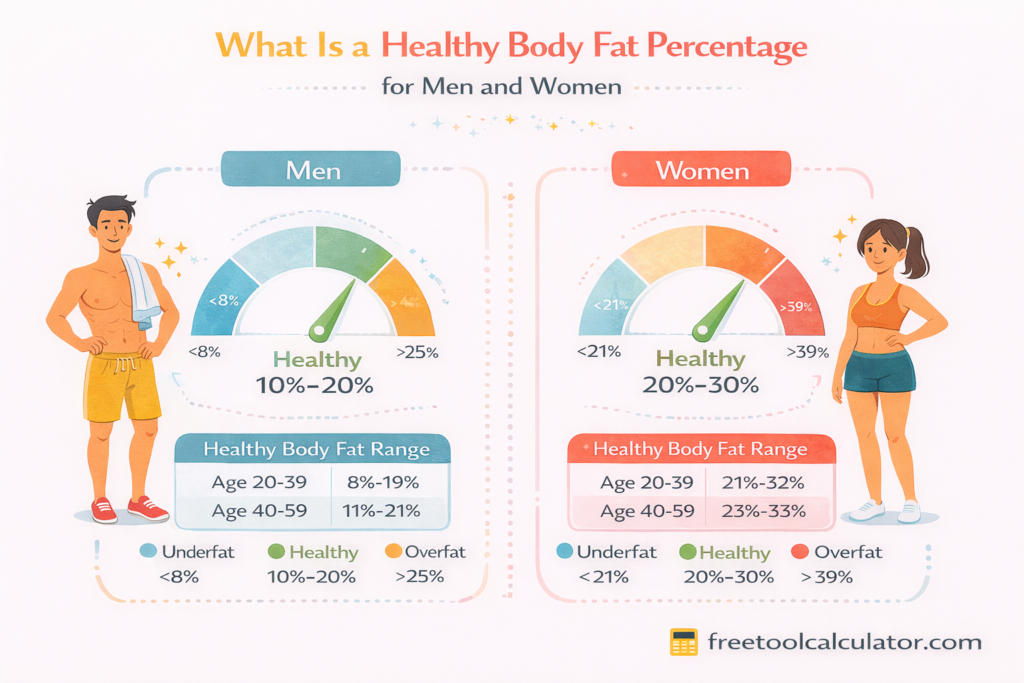
Body Fat Percentage Calculator Guide with Navy Formula, AI Apps, BIA, DEXA, and Caliper Methods

Body Fat Percentage Calculator Guide with Navy Formula, AI Apps, BIA, DEXA, and Caliper Methods

This blog explains how different body fat assessment methods compare with a Body Fat Percentage Calculator. It covers the U.S. Navy formula versus BMI, AI photo apps, BIA scales, DEXA scans, and why Jackson Pollock 3-site and 7-site methods give different results for accurate body composition tracking.

Body Fat Percentage Calculator Accurate Guide to Measure Body Fat

Body Fat Percentage Calculator Accurate Guide to Measure Body Fat

Learn how to calculate body fat percentage using accurate formulas and tools This guide explains body fat calculator methods, fat percentage ranges, and how to track your progress effectively for better health, fitness, and weight management using simple techniques designed for all users easily and accurately

How Many Calories Per Day Do You Need Complete Guide

How Many Calories Per Day Do You Need Complete Guide

Learn daily calories intake with this complete guide Understand how many calories a day you need, what affects calorie requirements, and how to calculate daily calorie needs using accurate methods and free tools to improve health, manage weight, and maintain a balanced lifestyle easily

How to Calculate the Difference Between Two Dates in Excel: Complete Guide

How to Calculate the Difference Between Two Dates in Excel: Complete Guide

Master Excel date difference calculations with this complete guide. Learn to use DATEDIF, DAYS, NETWORKDAYS, and simple subtraction to find days, months, years, and working days between dates. Includes practical examples and a free online calculator for quick verification.

How to Calculate Exact Age in Years Months and Days

How to Calculate Exact Age in Years Months and Days

Learning how to calculate exact age is essential for legal documents planning and personal records. This detailed guide explains how to calculate exact age in years months and days covers Excel formulas leap year impact cultural age systems and shows how to calculate age on any past or future date using a free age calculator.

How to Use a Sleep Cycle Calculator to Find the Best Bedtime and Wake Time

How to Use a Sleep Cycle Calculator to Find the Best Bedtime and Wake Time

This guide explains how a Sleep Cycle Calculator uses 90-minute sleep cycles to choose better bedtimes and wake times. Learn how to reduce sleep inertia, account for sleep latency, and pick the best sleep cycle count for cognitive performance and daily energy using science-based sleep timing methods and tools.

CSS Gradients in Web Design – Performance, Best Practices & Browser Support

CSS Gradients in Web Design – Performance, Best Practices & Browser Support

This CSS gradient generator guide explains performance impacts, best practices, and browser support for modern CSS gradients. Learn how to optimize gradient rendering, improve website speed, ensure cross-browser compatibility, and create visually appealing backgrounds using efficient CSS techniques for responsive and high-performance web design across all devices and screen sizes globally.

What Day of the Week Was I Born? Find Your Birthday Weekday with This Simple Tool

What Day of the Week Was I Born? Find Your Birthday Weekday with This Simple Tool

Curious about the day of the week you were born? Use our Birthday Weekday Calculator to find out exactly which day of the week you entered the world. Try it now!

How many days of high fertility before peak on Clearblue

How Many Days of High Fertility Before Peak on Clearblue?

Learn how many days of High Fertility occur before Peak on Clearblue. Discover tips for timing intercourse, how stress or PCOS can affect your cycle, and how to use the Clearblue fertility monitor.

How Many Calories Does 10,000 Steps Burn Complete Guide

How Many Calories Does 10,000 Steps Burn Complete Guide

Learn how many calories 10000 steps burn with accurate formulas and examples This guide explains calories burned 10k steps, walking steps calories, and step conversion methods to help you track fitness, improve daily activity, and achieve weight loss goals using simple and reliable tools easily

How to Use a Date Time Difference Calculator for Accurate Time Comparison

How to Use a Date Time Difference Calculator for Accurate Time Comparison

Learn how to calculate time differences between dates and times accurately using a Date Time Difference Calculator. This guide explains practical use cases manual methods key formulas and tips to handle hours minutes and seconds differences quickly and without errors.

Ovulation Calculator for Irregular Periods and Accurate Fertility Tracking

Ovulation Calculator for Irregular Periods and Accurate Fertility Tracking

This blog explains how an ovulation calculator for irregular periods helps women track fertility accurately. It covers ovulation timing, the BBT 3 over 6 rule, cycle length differences, multiple ovulation myths, and correct DPO counting. Medical guidance ensures reliable pregnancy planning and better understanding of reproductive health patterns.

Report a Bug