element-4.png

SQL Formatter & Beautifier (Prettify, Uppercase Keywords, Minify)

Beautify and minify SQL queries with uppercase keywords, readable indentation, quick copy buttons, and instant developer-friendly output stats.

Developer Tool

SQL Formatter / Beautifier

Prettify SQL with readable line breaks, indentation, and optional uppercase keywords.

Notes
This formatter targets common SQL readability patterns (SELECT/FROM/WHERE/JOIN/GROUP BY/ORDER BY/LIMIT). It does not execute SQL.
Output
Ready
Type: — Size: — Lines: —
Status
—
Safe & Private
Runs in your browser only. No SQL is sent to any server.

What is a SQL formatter and beautifier

A SQL formatter and beautifier is an online tool that restructures SQL queries into a clean readable format. It organizes keywords clauses and indentation to improve clarity. This makes complex SQL queries easier to understand debug and maintain. It is widely used by developers database administrators and data analysts.

Why formatting SQL queries is important

Unformatted SQL queries can be hard to read especially when they are long or complex. Proper formatting improves readability and reduces mistakes. It helps developers quickly understand query logic and structure. Clean SQL also improves collaboration across teams.

How a SQL formatter works

The formatter analyzes your SQL query and applies standardized formatting rules. Keywords like SELECT FROM WHERE and JOIN are aligned and capitalized consistently. Indentation is added to nested queries and conditions. The output remains functionally identical but much easier to read.

What is SQL pretty print

SQL pretty print formats queries with line breaks indentation and spacing. It visually separates clauses and logical blocks. This helps identify query flow and conditions clearly. Pretty printing is useful for learning debugging and documentation.

What is SQL minify

SQL minify removes unnecessary spaces and line breaks from queries. This creates compact SQL suitable for production environments. Minified queries reduce file size but are harder to read. The tool allows switching between formatted and minified versions easily.

Which SQL dialects are supported

Most SQL formatters support common dialects such as MySQL PostgreSQL SQL Server SQLite and Oracle SQL. Formatting rules adapt to syntax differences. This ensures compatibility across database systems. Users can format queries confidently.

Is this SQL formatter useful for developers

Yes developers frequently format SQL while writing queries and debugging databases. This tool saves time and improves productivity. It helps avoid syntax confusion in complex queries. It is useful for both frontend and backend developers.

Can database administrators use this SQL tool

Database administrators use SQL formatters to review optimize and document queries. Clean formatting improves query audits and maintenance. It also helps during performance tuning. The tool supports professional database workflows.

Is this SQL formatter helpful for students

Yes students learning SQL benefit from clean formatted queries. It helps understand query structure and execution flow. This improves learning speed and confidence. Teachers also use it for demonstrations.

Does the SQL formatter support large queries

Yes the tool can handle large and complex SQL queries. Performance remains fast and accurate. Nested subqueries and joins are formatted correctly. No data or logic is lost.

Is this SQL formatter secure

The tool does not store or log SQL queries. Formatting happens instantly and privately. Sensitive database queries should still be handled responsibly. No login is required.

Is this SQL formatter and beautifier free to use

Yes this SQL formatter is completely free. No registration or payment is required. You can format and beautify SQL unlimited times. Results are instant and private.

Who should use a SQL formatter and beautifier

This tool is ideal for developers database administrators analysts students and SQL learners. Anyone working with SQL queries can benefit. No advanced technical skills are required. The interface is simple and user friendly.
About the SQL Formatter and Beautifier

The SQL Formatter and Beautifier is designed to make a specific task easier without requiring you to perform every step manually. A useful tool page should do more than return a number or transformed value: it should explain what to enter, what the output represents, where errors can occur, and how to verify the result. This guide provides that context so you can use the tool confidently and understand its limitations.

People may reach this page while searching for terms such as SQL formatter online, SQL beautifier, format SQL query, pretty print SQL, SQL code formatter, SQL indentation, SQL query beautifier, online SQL formatter, format database query, SQL readability tool, SQL syntax formatter, SQL developer tool, beautify SQL online, SQL query formatting, SQL code cleanup. These phrases describe related needs, but the goal of this page is to answer the underlying task naturally rather than repeat keywords. Start with the calculator or utility, then use the explanations below when you need help interpreting or checking the result.

How to Use the SQL Formatter and Beautifier

Paste SQL into the input area, run the formatter, then review the formatted query before copying it back into your editor. Formatting improves readability; it does not prove that a query is valid, safe, or efficient.

  1. Read the input labels and choose the option that matches your task.
  2. Enter the source information carefully and keep units, dates, formatting, or spelling consistent.
  3. Run the tool and review the complete output instead of copying only the first number or line.
  4. Check the result against the examples and verification guidance on this page.
  5. Save or copy the result only after confirming it is appropriate for your intended use.

How to Verify the Output

Compare a small known example before processing important data. Then inspect edge cases such as empty input, punctuation, quotes, non-English characters, comments, or unusual whitespace. A formatting or conversion tool can transform text correctly while the underlying code or data still contains logical errors.

Why Inputs Matter

Most incorrect results begin with an incorrect assumption or input. A calculator cannot know that a value was typed in the wrong unit, a date was interpreted in the wrong order, or text contained an unintended character. Before relying on the output, review every input and ask whether it describes the real problem. If the result looks surprising, change one input at a time and see which assumption causes the difference.

Practical Example

Suppose you use this tool for a real project and receive a result that you plan to share with someone else. First record the original input. Run the tool, then repeat the task with a simple value whose outcome you can predict. If that check behaves as expected, return to the original result and confirm the units, labels, date, text, or settings. This small verification step is especially useful when a result will be copied into a document, spreadsheet, website, assignment, schedule, or business workflow.

Common Mistakes to Avoid

  • Entering a value in the wrong field or measurement unit.
  • Copying an output without reading its label or context.
  • Assuming an estimate is more precise than the underlying inputs allow.
  • Rounding or reformatting intermediate values too early.
  • Using an example value as though it were a universal recommendation.
  • Ignoring dates, locales, capitalization, or other settings that can change interpretation.
  • Failing to verify an important result with a second method or known example.

Privacy and Data Handling

Avoid pasting passwords, private keys, customer records, confidential source code, or regulated data into any online utility unless you have verified how the service handles information and your organization permits it.

When This Tool Is Most Useful

This tool is most useful for quick calculations, comparisons, conversions, planning, learning, and first-pass checks. It can save time when you need a repeatable method and want the same rules applied consistently. It is less suitable when the task depends on information the tool does not collect, when a professional or official determination is required, or when the result could change because of external rules that are not represented in the inputs.

How We Approach Tool Quality

FreeToolCalculator aims to pair interactive tools with plain-language explanations. Tool logic and supporting content should be reviewed when formulas, standards, interfaces, or common practices change. Where a calculation is based on a formula, the page should explain the variables and assumptions. Where a utility transforms data, the page should explain what the transformation does and does not validate. This transparency is more useful than asking users to trust an unexplained output.

Frequently Asked Questions

Is the SQL Formatter and Beautifier free to use?

The tool is provided for convenient online use. You should still review the result and any limitations described on the page before relying on it for an important task.

Do I need to install software?

The tool is intended to work in a web browser. Browser features, device settings, extensions, or restrictive networks can affect some interactive functions.

Why is my result different from another website or app?

Different tools can use different assumptions, data sources, rounding rules, defaults, date rules, or implementation details. Compare the inputs and methodology before deciding that one result is wrong.

How can I get the most accurate result?

Use accurate source information, select the correct settings, avoid premature rounding, and verify important outputs with a second method or authoritative source when appropriate.

Can I use the result professionally?

That depends on the task. The tool can support planning and routine work, but it does not replace required professional judgment, official documentation, testing, or certification.

What should I do if the tool gives an unexpected result?

Recheck the inputs, refresh the page, try a simple test case, and compare the result with a manual calculation or another reliable method. If the issue persists, report the example so the tool can be reviewed.

Related Search Questions

Users looking for a SQL formatter often also want to understand related terms such as SQL formatter online, SQL beautifier, format SQL query, pretty print SQL, SQL code formatter, SQL indentation, SQL query beautifier, online SQL formatter. The sections above address these topics in context so you can choose the correct workflow instead of relying on a keyword or label alone.

Editorial note: Supporting guidance reviewed October 2026. Interactive results should always be interpreted in the context of the inputs and limitations described above.

Complete Guide to the SQL Formatter and Beautifier

This supporting guide explains how to use the SQL Formatter and Beautifier, interpret its output and verify the result. The existing interactive feature remains the primary purpose of the page; this content adds practical context without replacing or altering the tool itself.

Understanding the Result

A useful result includes context. Check whether the output is a count, converted value, generated item, estimate, date, percentage or other type of result. Keep units and labels with the number when copying it elsewhere so its meaning is not lost.

For best results, keep the original source information available while using the tool. Recheck units, spelling, date formats, decimal places and selected options. If the result affects a consequential health, financial, legal, safety, employment or purchasing decision, verify the relevant facts with an appropriate authoritative source or qualified professional.

Worked Verification Method

Create a simple test case that you can solve or inspect independently. Run that case through the tool and compare the outputs. Once you understand how the interface handles the simple example, return to the real values.

Precision and Rounding

More displayed decimal places do not automatically make a result more accurate. The precision of the output is limited by the source information and, for estimates, by the assumptions behind the method. Round to a level appropriate for the task.

When Results Can Differ

Two online tools can show different outputs if they use different definitions, reference data, rounding rules, time conventions or assumptions. Before deciding that one is wrong, check whether both tools are actually answering the same question.

Practical Uses

The SQL Formatter and Beautifier can be useful for quick checks, planning, learning and routine digital tasks. For important work, save the source information along with the result so the calculation can be reproduced or audited later.

Quick Result Checklist

  • Confirm the source input.
  • Check units and format.
  • Review the selected mode or category.
  • Test a simple known example.
  • Apply sensible rounding.
  • Keep the result in context.

More Tools

Animated Gradient Background Generator

Animated Gradient Background Generator helps you create smooth CSS backgrounds, preview motion, adjust colors, and copy ready-to-use code instantly.

Image Compressor

Reduce image file size quickly using a free online image compressor designed for faster loading and high quality visuals.

Image Cropper Tool

Crop images quickly and accurately using a free online image cropper tool designed for clean simple and professional results.

HTML Entity List

Comprehensive HTML entity list featuring ASCII, ISO 8859-1 characters/symbols, math, Greek, and miscellaneous with names, numbers, and descriptions for easy reference.

Lorem Ipsum Generator

Generate polished Lorem Ipsum paragraphs, sentences, or words with optional HTML markup, accurate stats, and one-click copy for projects.

HTML Escape Tool

Escape or unescape HTML entities instantly, protect markup, copy clean output, view stats, and validate text safely for developers today.

CSS Beautifier & Minifier

Beautify, minify, and validate CSS instantly with clean indentation, safe comment handling, fast copy buttons, and clear output stats.

JavaScript Formatter & Beautifier

Beautify, format, validate, and minify JavaScript instantly with clean indentation, readable output, copy buttons, and developer friendly stats.

XML to JSON Converter

Convert XML to JSON or JSON to XML instantly with validation, pretty output, copy buttons, and clear developer friendly rules.

Regex Pattern Tester

Test regex patterns with flags, highlights, group captures, and replace previews, then copy clean reports and results instantly.

XML Formatter & Beautifier

Beautify, validate and minify XML with clean indentation, helpful validation messages, quick copy buttons, and readable developer output.

HTML Formatter & Beautifier

Beautify and minify HTML with clean indentation, safe formatting, quick copy buttons, and helpful stats for developers instantly.

Our Blogs

What Is the 3-3-3 Rule for Weight Loss and Does It Work

What Is the 3-3-3 Rule for Weight Loss and Does It Work?

The 3-3-3 rule for weight loss is a simple habit-based approach designed to make healthy eating, hydration and physical activity easier to remember.

Budget at Completion Calculation Formula and Examples Guide

Budget at Completion (BAC): Formula, Meaning and Examples

Learn budget at completion calculation with simple formulas and real examples This guide explains BAC calculation how to estimate total project cost and how to use accurate tools to manage project budgets effectively for better planning financial control and successful project completion with reliable and practical insights

How Many Steps to Burn Calories A Complete Guide to Tracking Your Fitness Goals

How Many Steps to Burn Calories: A Complete Guide to Tracking Your Fitness Goals

Learn how many steps it takes to burn calories with our comprehensive guide. Whether you want to burn 100, 500, or even 1000 calories, we break it down for you. Start your fitness journey today with helpful tips!

What Does a Semen Analysis Test Involve? Complete Guide

What Does a Semen Analysis Test Involve? Complete Guide

A semen analysis test is a laboratory examination used to assess sperm and the fluid that carries them. It is one of the first and most important tests used when investigating male fertility, a low sperm count or difficulty achieving pregnancy.

Water Intake Calculator Daily Hydration Guide

Water Intake Calculator Daily Hydration Guide

Learn how to use a water intake calculator to calculate daily hydration needs accurately This guide explains water consumption formulas hydration benefits and daily fluid requirements using simple methods and free tools to improve health fitness energy and overall wellness for all age groups effectively

Body Fat Percentage Calculator Guide with Navy Formula, AI Apps, BIA, DEXA, and Caliper Methods

Body Fat Percentage Calculator Guide with Navy Formula, AI Apps, BIA, DEXA, and Caliper Methods

This blog explains how different body fat assessment methods compare with a Body Fat Percentage Calculator. It covers the U.S. Navy formula versus BMI, AI photo apps, BIA scales, DEXA scans, and why Jackson Pollock 3-site and 7-site methods give different results for accurate body composition tracking.

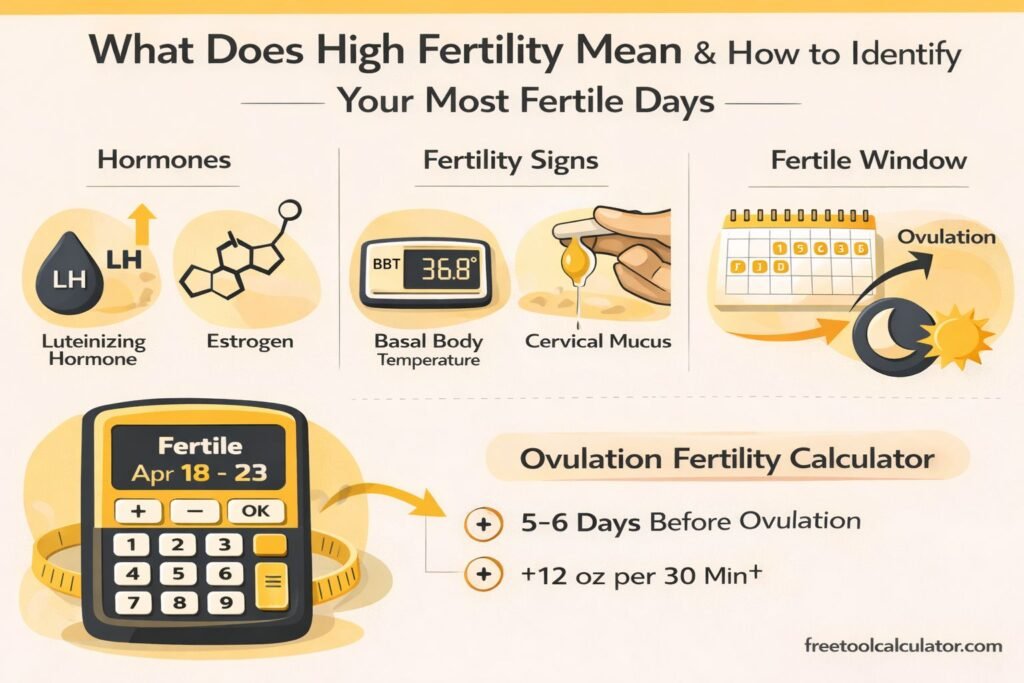
What Does High Fertility Mean and How to Identify Your Most Fertile Days

What Does High Fertility Mean and How to Identify Your Most Fertile Days

Learn what high fertility means, how to recognize fertile signs, and how an Ovulation Fertility Calculator helps identify your best chances of pregnancy accurately.

Best Supplements to Increase Sperm Count Naturally

Best Supplements to Increase Sperm Count Naturally

The best supplements to increase sperm count naturally are usually marketed as combinations of antioxidants, vitamins, minerals and amino acids that support sperm production or protect sperm from oxidative stress.

How to Use a Date Time Difference Calculator for Accurate Time Comparison

How to Calculate the Difference Between Two Dates and Times

Learn how to calculate time differences between dates and times accurately using a Date Time Difference Calculator. This guide explains practical use cases manual methods key formulas and tips to handle hours minutes and seconds differences quickly and without errors.

Online Age Calculator – Calculate Your Exact Age Instantly

Online Age Calculator – Calculate Your Exact Age Instantly

Discover how an online age calculator helps you calculate your exact age instantly. Learn how to use this free tool, understand chronological age, and explore advanced features. Try it now and get accurate results in seconds.

How to Check Stress Level Simple Methods and Accurate Guide

How to Check Stress Level Simple Methods and Accurate Guide

Learn how to check stress level using simple and effective methods This guide explains stress level check techniques, symptoms, and tools to measure stress level accurately and manage mental health better using practical steps and reliable tools suitable for all users

Best Font Pairings for Websites and Branding 2026 Guide

Best Font Pairings for Websites and Branding 2026 Guide

Discover the best font pairings for websites branding and modern design in this complete 2026 guide Learn how to combine typography styles improve readability create professional visual identity and choose good font pairs for blogs businesses ecommerce and creative projects using practical design strategies and free online tools effectively

Report a Bug