Calculate Future Dates Quickly and Accurately
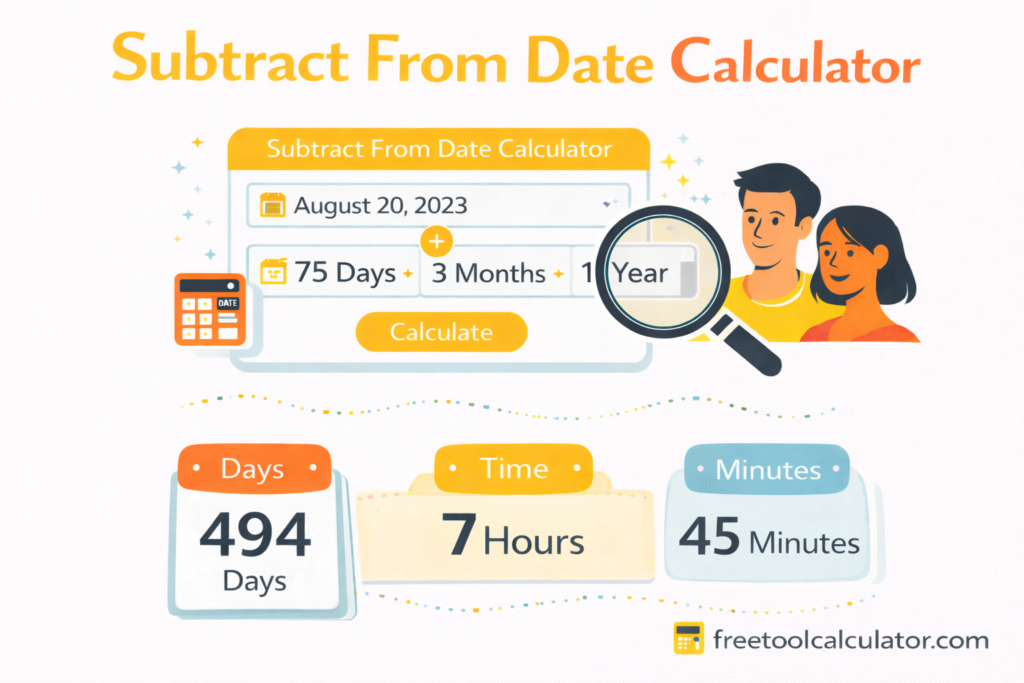
Need to calculate a future date by adding days, months, or years to an existing date? Our Date Calculator makes it easy to select a starting date and instantly determine the resulting future date. Whether you’re planning projects, tracking deadlines, calculating contract periods, scheduling appointments, or forecasting important milestones, this tool provides fast and accurate date calculations.
Many people search for terms such as how to add data, date add, add date step by step, or how to add date Excel, but often struggle with manual calculations. This calculator eliminates guesswork and helps you determine future dates in seconds.
Why Use a Date Calculator?
Date calculations can become complicated when dealing with:
- Different month lengths
- Leap years
- Business schedules
- Project timelines
- Subscription renewals
- Loan maturity dates
- Employment contracts
- Academic deadlines
Instead of manually counting days on a calendar, simply enter your starting date and add the desired number of days, months, or years.
Common Uses
- Calculate warranty expiration dates
- Determine project completion timelines
- Schedule future meetings
- Plan travel itineraries
- Calculate contract end dates
- Estimate delivery deadlines
- Track subscription renewals
- Manage personal goals and milestones
How to Add a Date Step by Step
Many users search online for how to add data, date add, or add date step by step when trying to calculate future dates. The process is simple:
Step 1: Select the Starting Date
Choose the date from which you want to begin calculations.
Step 2: Choose the Time Unit
Select whether you want to add:
- Days
- Months
- Years
Step 3: Enter the Value
Input the number of days, months, or years you want to add.
Step 4: Calculate
Click the calculate button to instantly see the future date.
The tool automatically handles leap years, varying month lengths, and calendar transitions.
Date Calculations in Microsoft Excel
Many professionals prefer spreadsheet-based calculations. Common searches include:
- how to add date excel
- insert date excel
- add days to a date excel
- excel date formula
- add month to date excel
- add year to date excel
- automatic date excel
- insert today date
- add subtract date excel
- working days formula excel
Add Days to a Date in Excel
You can use:
= A1 + 30
This adds 30 days to the date stored in cell A1.
Add Months to a Date in Excel
Use:
= EDATE(A1,3)
This adds three months to a date.
Add Years to a Date in Excel
Use:
= DATE(YEAR(A1)+1,MONTH(A1),DAY(A1))
This adds one year while preserving month and day values.
Insert Today’s Date
To automatically insert today’s date:
= TODAY()
This updates dynamically whenever the spreadsheet is opened.
Working Days Formula Excel
For business date calculations:
= WORKDAY(A1,10)
This calculates a date 10 working days in the future while excluding weekends.
Google Sheets Date Formulas
Google Sheets offers functionality similar to Excel.
Popular searches include:
- google sheets date formula
- add data google sheets
- google sheets graph data
Examples:
Add Days
=A1+15
Add Months
=EDATE(A1,6)
Current Date
=TODAY()
These formulas help automate schedules, reports, and project planning.
Understanding Data Entry and Database Records
Users often search for:
- add data to database
- database entry
- sql insert data
- insert data sql
- sql add row
Although this calculator focuses on date calculations, date values are commonly stored within databases.
What Is Database Entry?
Database entry refers to adding information into a database table.
Examples include:
- Customer registration dates
- Order dates
- Invoice dates
- Appointment dates
- Subscription start dates
SQL Insert Data Example
Basic SQL syntax:
INSERT INTO customers
(name, registration_date)
VALUES
(‘John Smith’, ‘2026-01-15’);
This creates a new database record containing a date value.
SQL Add Row
Adding a row means creating a new record within a database table. Dates are frequently included to track activity and maintain historical records.
Date Functions in SQL
Developers frequently search for:
- date add sql
- mysql date_add
MySQL DATE_ADD Example
SELECT DATE_ADD(‘2026-01-01’, INTERVAL 30 DAY);
Result:
2026-01-31
You can also add:
- Days
- Weeks
- Months
- Years
This functionality is commonly used in reporting systems, billing applications, and subscription platforms.
Date Calculations in JavaScript
Developers often search for:
- js add days to date
- date add javascript
- javascript add date days
JavaScript provides built-in date functionality.
Add Days Example
const date = new Date();
date.setDate(date.getDate() + 30);
This adds 30 days to the current date.
Date calculations are widely used in:
- Booking systems
- Scheduling apps
- Event management software
- Task tracking platforms
- Calendar integrations
Working with Dates in Python and Pandas
Data analysts frequently search for:
- pandas add column
- dataframe add data
Pandas makes date calculations simple.
Add a New Date Column
df['future_date'] = df['start_date'] + pd.Timedelta(days=30)
This creates a future date based on an existing date column.
Applications include:
- Financial forecasting
- Business analytics
- Project management
- Operational reporting
Data Modeling Basics
Another related topic users search for is:
- add to data model
- data modeling basics
A data model defines how information is organized and connected.
Dates are among the most important fields in a data model because they help organizations track:
- Transactions
- Registrations
- Customer activity
- Inventory movement
- Financial records
Good data modeling ensures accurate reporting and efficient database performance.
Adding Data to Charts and Graphs
Users frequently search for:
- add data to chart
- add data series
- add data to graph excel
- google sheets graph data
- add data excel
Add Data to an Excel Chart
- Select the chart.
- Click “Select Data.”
- Choose “Add.”
- Select the new data range.
- Confirm changes.
Add Data Series
A data series represents a group of values displayed within a chart.
Examples:
- Monthly sales
- Website traffic
- Customer registrations
- Revenue growth
Add Data to Graph Excel
Updating charts ensures visual reports remain accurate and up to date.
Mobile Data Add-On Plans
Some visitors search for:
- how to add more data to phone
- mobile data add on
- increase mobile data
- phone data plan
- data add on plans
- prepaid data add
- add data plan ipad
- cellular data ipad
- add data straight talk
- verizon add data
- t mobile data add
These terms relate to mobile carrier services rather than date calculations.
Most providers allow customers to purchase additional data through:
- Mobile apps
- Online account portals
- Customer support
- Carrier stores
Data add-on plans are commonly used when monthly data allowances have been exhausted.
Adding Dates to Documents and Images
Date information is frequently added to digital files.
Popular searches include:
- how to add date to pdf document
- date stamp photos
- add date to picture
- instagram date sticker
- insert date word document
- signature line word
- date line document
Add Date to PDF Document
Many PDF editors allow you to insert date stamps for record keeping and compliance purposes.
Date Stamp Photos
Photo management software often includes automatic date stamping features that display when a picture was taken.
Add Date to Picture
Adding dates can help:
- Organize archives
- Preserve memories
- Document events
- Maintain records
Instagram Date Sticker
Instagram Stories provide stickers that display date information and event details.
Insert Date in Word Documents
Microsoft Word offers automatic date insertion tools that update dynamically when documents are opened.
Signature Line and Date Line
Business documents often include:
- Signature lines
- Approval dates
- Contract execution dates
- Review dates
These elements help establish document authenticity and compliance.
Benefits of Using Our Date Calculator
Accuracy
The calculator automatically handles leap years and month variations.
Speed
Get results instantly without manual counting.
User-Friendly Interface
No technical knowledge required.
Free Access
Use the calculator anytime without registration.
Practical Applications
Useful for:
- Students
- Professionals
- Developers
- Project managers
- Business owners
- Researchers
Frequently Calculated Date Scenarios
Users commonly calculate:
- 30 days from today
- 90 days from today
- 6 months from a date
- 1 year from a date
- Contract expiration dates
- Warranty periods
- Payment due dates
- Subscription renewals
Our tool handles all these scenarios quickly and accurately.
Why Trust This Date Calculator?
This calculator is designed using established calendar calculation methods and follows standard date arithmetic principles used in business, software development, and project management environments.
We regularly review our tools to ensure accuracy, usability, and reliability. The goal is to provide practical resources that help users make informed decisions and perform calculations with confidence.
Start Calculating Future Dates Today
Whether you’re planning a project, tracking deadlines, managing business records, working with Excel formulas, building database applications, creating reports, or simply calculating an important future date, our Date Calculator provides a fast and dependable solution.
Select your starting date, choose the number of days, months, or years to add, and get your result instantly.