Whether you’re designing a website, creating marketing materials, or preparing artwork for professional printing, choosing the correct color model is essential. One of the most common questions designers ask is how to convert CMYK to RGB while preserving color accuracy.
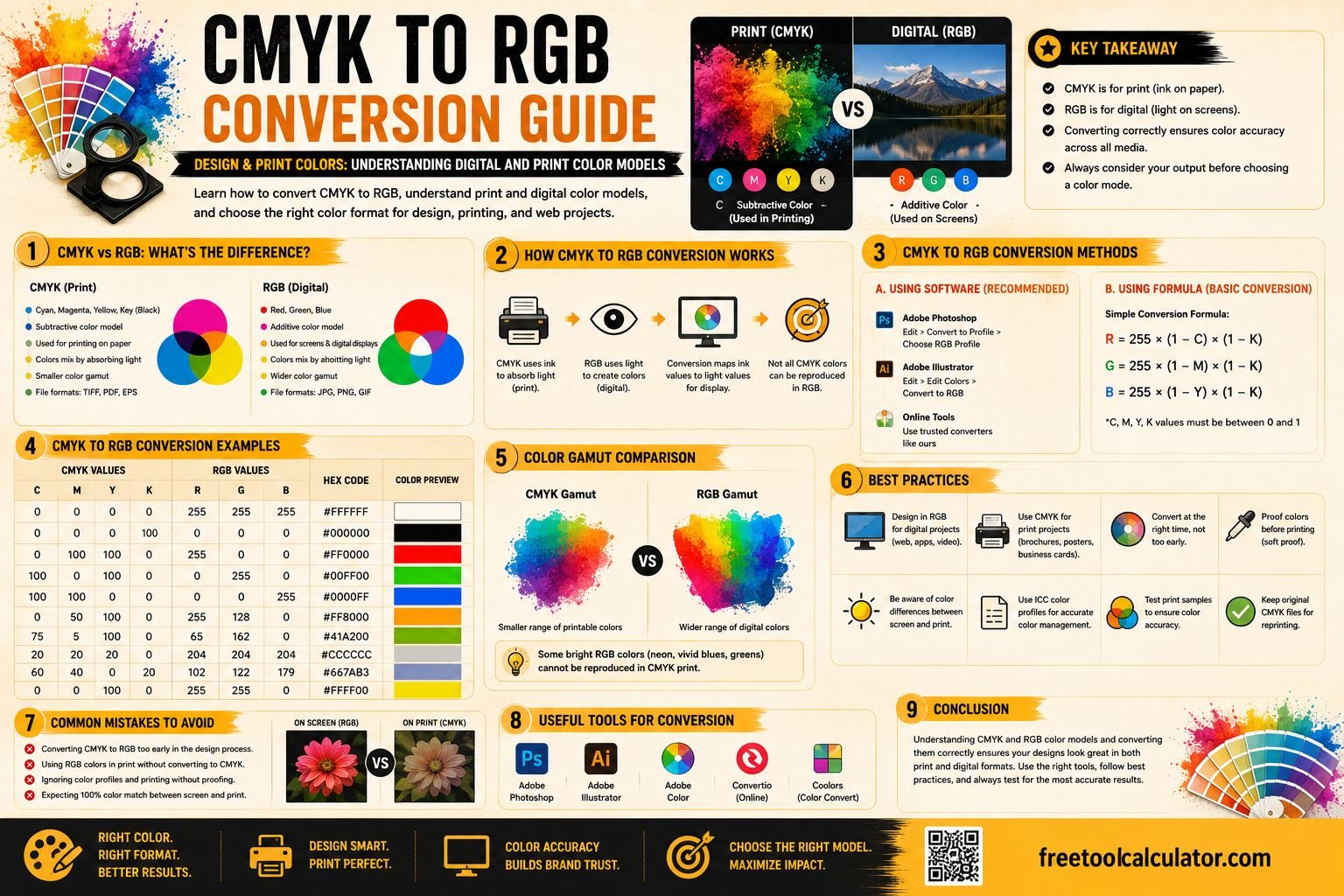
Although both color models represent colors, they serve completely different purposes. RGB is designed for digital displays such as computers, smartphones, televisions, and tablets, while CMYK is specifically used for commercial printing. Understanding the difference between these models helps ensure your designs appear as intended regardless of where they are viewed.
If you need to convert between multiple color formats quickly, our free Color Format Converter makes it easy to switch between RGB, HEX, CMYK, HSL, and other common color models.
Quick Answer: What Is CMYK to RGB Conversion?
CMYK to RGB conversion is the process of translating colors designed for printing into colors suitable for digital displays. Since printers use ink and screens emit light, the same color values cannot simply be copied from one model to another.
Instead, mathematical formulas are used to approximate how printed colors should appear on electronic screens.
For example:
| CMYK | Approximate RGB |
|---|---|
| 0, 100, 100, 0 | 255, 0, 0 (Red) |
| 100, 0, 0, 0 | 0, 255, 255 (Cyan) |
| 0, 0, 0, 100 | 0, 0, 0 (Black) |
Because the two color spaces have different gamuts, some printed colors cannot be reproduced exactly on digital screens.
What Is the CMYK Color Model?
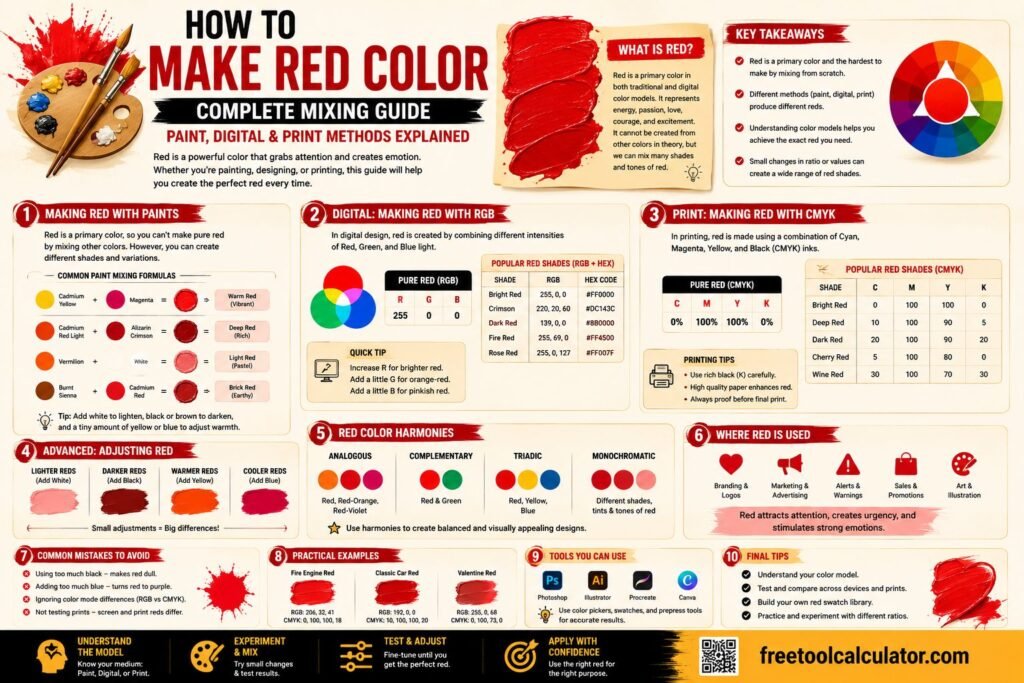
CMYK stands for Cyan, Magenta, Yellow, and Key (Black). It is known as a subtractive color model because colors are created by absorbing light with ink printed on paper.
Professional printers combine varying amounts of cyan, magenta, yellow, and black ink to reproduce millions of different colors.
Where CMYK Is Used
- Business cards
- Brochures
- Flyers
- Packaging
- Magazines
- Books
- Posters
- Professional printing services
If your final project will be printed, designers typically prepare artwork using the CMYK color model to improve color consistency during production.
What Is the RGB Color Model?
RGB stands for Red, Green, and Blue. Unlike CMYK, RGB is an additive color model that creates colors by combining different intensities of light.
When all three colors are displayed at full intensity, the result is white. When all are turned off, the result is black.
Where RGB Is Used
- Websites
- Mobile apps
- Computer monitors
- Televisions
- Digital advertisements
- Social media graphics
- Online presentations
- Video content
If your design will only be viewed on digital devices, RGB is usually the preferred color model.
CMYK vs RGB: What’s the Difference?
Although both models represent color, they generate colors using completely different methods.
| Feature | CMYK | RGB |
|---|---|---|
| Primary Colors | Cyan, Magenta, Yellow, Black | Red, Green, Blue |
| Color Method | Subtractive | Additive |
| Best For | Printing | Digital Displays |
| Produces Color Using | Ink | Light |
| White | Paper | All Colors Combined |
| Black | Black Ink (K) | No Light |
Because RGB can display brighter, more vibrant colors than CMYK, certain digital colors may appear duller when printed.
How CMYK to RGB Conversion Works
Converting CMYK values into RGB requires mathematical calculations. Each CMYK percentage is first converted into decimal values before calculating the amount of red, green, and blue light needed to reproduce the closest possible color.
Step 1: Convert Percentages to Decimal Values
Example:
- C = 20%
- M = 50%
- Y = 0%
- K = 10%
Decimal form:
- C = 0.20
- M = 0.50
- Y = 0.00
- K = 0.10
Step 2: Apply the Conversion Formula
R = 255 × (1 − C) × (1 − K)
G = 255 × (1 − M) × (1 − K)
B = 255 × (1 − Y) × (1 − K)
The resulting RGB values represent the closest display color for that CMYK combination.
Manual Conversion Example
Let’s convert the following CMYK color:
- C = 20%
- M = 50%
- Y = 0%
- K = 10%
Calculate Red
255 × (1 − 0.20) × (1 − 0.10)
255 × 0.80 × 0.90 = 184
Calculate Green
255 × (1 − 0.50) × (1 − 0.10)
255 × 0.50 × 0.90 = 115
Calculate Blue
255 × (1 − 0.00) × (1 − 0.10)
255 × 1.00 × 0.90 = 230
Final RGB Value: RGB(184, 115, 230)
Performing these calculations manually is useful for understanding the conversion process, but it can become time-consuming when working with multiple colors.
Why Colors Change During Conversion
One of the biggest challenges when converting CMYK to RGB is that the two color spaces do not contain exactly the same range of colors. RGB has a wider color gamut, allowing screens to display bright, highly saturated colors that standard printing inks cannot always reproduce.
Similarly, some printed colors created with CMYK inks cannot be matched perfectly on digital displays because monitors use emitted light instead of pigments.
Common Reasons for Color Differences
- Different color gamuts.
- Monitor calibration differences.
- Printer profiles.
- Paper type and ink quality.
- Color management settings.
To simplify color conversions without performing manual calculations, use our free Color Format Converter. You can also explore the Color Contrast Checker to verify accessibility and the Color Theme Generator for creating harmonious color palettes.
RGB to CMYK Conversion: Why Designers Also Need the Reverse Formula
Although this guide focuses on CMYK to RGB conversion, many designers also need to convert RGB to CMYK when preparing digital artwork for print. This happens when a logo, website graphic, or social media design needs to be used on printed materials such as flyers, packaging, posters, or business cards.
The important thing to remember is that RGB colors may look brighter on screen than they do in print. When converted to CMYK, highly saturated blues, greens, oranges, and neon shades may appear slightly duller because standard printing inks cannot reproduce the same brightness as a digital display.
Basic RGB to CMYK Formula
To convert RGB values into CMYK, first normalize the RGB values by dividing each value by 255.
R’ = R ÷ 255
G’ = G ÷ 255
B’ = B ÷ 255
Then calculate black:
K = 1 − max(R’, G’, B’)
After that, calculate cyan, magenta, and yellow:
C = (1 − R’ − K) ÷ (1 − K)
M = (1 − G’ − K) ÷ (1 − K)
Y = (1 − B’ − K) ÷ (1 − K)
The final values are usually converted into percentages for design and print software.
What About HEX and Hexadecimal CMYK?
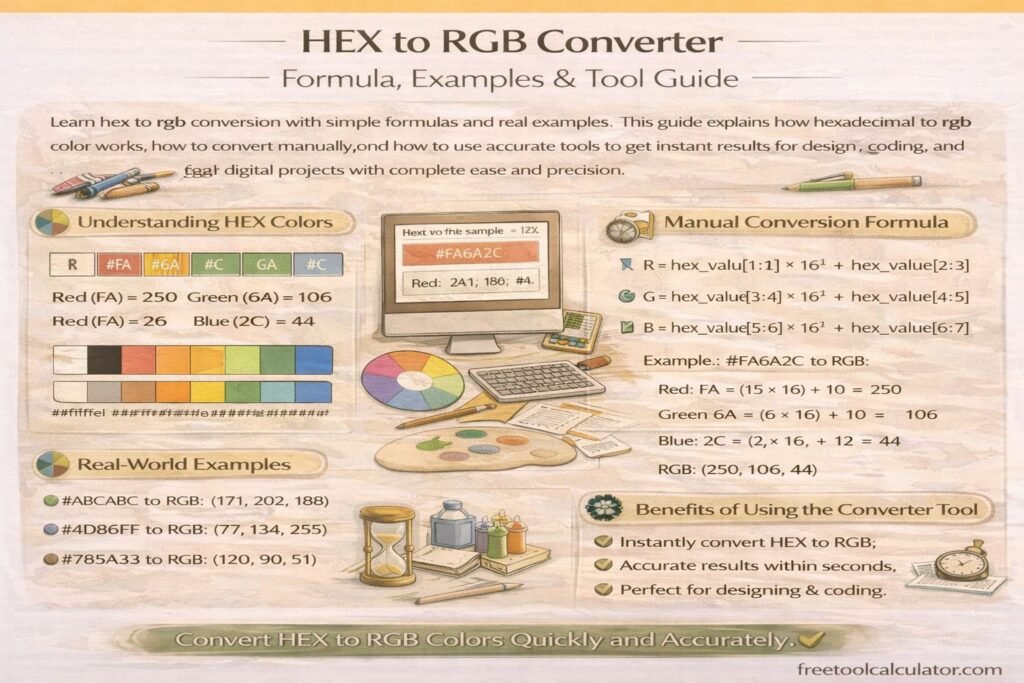
HEX colors are widely used in web design and digital development. A HEX code is a six-character representation of RGB values, commonly used in CSS, HTML, design systems, and branding guidelines.
For example:
- #FF0000 represents red.
- #00FF00 represents green.
- #0000FF represents blue.
- #000000 represents black.
The phrase hexadecimal CMYK can be confusing because HEX is based on RGB values, not CMYK ink percentages. In most cases, when someone asks for hexadecimal CMYK, they usually want to convert a CMYK print color into a digital HEX code for web use.
Example: CMYK to HEX
To convert CMYK to HEX, you first convert CMYK to RGB and then convert RGB to HEX.
For example, if CMYK converts to:
RGB(184, 115, 230)
The approximate HEX value would be:
#B873E6
This is why a tool like the Color Format Converter is useful when switching between CMYK, RGB, HEX, and other formats.
When Should You Use CMYK?
You should use CMYK when your design will be physically printed. This includes commercial print work, packaging, printed advertising, stationery, business cards, signs, and product labels.
Best Uses for CMYK
- Business cards and letterheads
- Brochures and flyers
- Restaurant menus
- Product packaging
- Print advertisements
- Posters and banners
- Magazines and catalogs
- Book covers and printed pages
Starting with CMYK for print projects helps reduce surprises when the final printed product arrives. It also allows designers and printers to make better decisions about color correction, proofing, paper type, and ink coverage.
When Should You Use RGB?
You should use RGB when your design will appear on a screen. Since digital devices display color using light, RGB is the correct color model for websites, apps, videos, social media graphics, digital advertisements, and presentations.
Best Uses for RGB
- Website graphics
- Mobile app interfaces
- Social media posts
- Online advertisements
- Email newsletters
- YouTube thumbnails
- Digital presentations
- Video graphics
RGB is usually brighter and more flexible for digital design because it can display a wider range of vivid colors than standard CMYK printing.
Practical Example: Designing for Print and Web
Imagine you are creating a brand identity for a small business. The business needs a logo for its website, social media pages, business cards, and printed flyers. In this situation, you should prepare both RGB and CMYK versions of the brand colors.
The RGB version should be used for digital screens, while the CMYK version should be used for printed materials. A HEX version should also be included for website development and CSS styling.
Example Brand Color System
| Use Case | Color Format | Example Value |
|---|---|---|
| Website | HEX | #B873E6 |
| Digital Design | RGB | RGB(184, 115, 230) |
| Print Design | CMYK | 20%, 50%, 0%, 10% |
Keeping all three values in your brand guide helps maintain consistency across platforms.
Common CMYK to RGB Conversion Mistakes
Color conversion can be simple, but mistakes often happen when designers move between print and digital workflows too quickly.
Using RGB Colors for Print Without Checking
Bright RGB colors may not print accurately. Always convert digital colors to CMYK and review a print proof before final production.
Expecting Exact Color Matches
CMYK and RGB are different systems. A perfect match is not always possible because screens use light and printers use ink.
Ignoring Monitor Calibration
Even after conversion, colors can appear different on separate monitors. A calibrated display helps improve accuracy for professional work.
Forgetting Paper Type
Glossy paper, matte paper, recycled paper, and textured paper can all affect how printed colors appear.
Not Saving Original Files
Always keep the original design files before converting colors. This allows you to adjust values later without quality loss.
Helpful Color Tools for Designers
Working with color becomes easier when you use the right tools during your design process. FreeToolCalculator.com includes several tools that can help with color formatting, accessibility, and creative design decisions.
- Color Format Converter – Convert colors between CMYK, RGB, HEX, HSL, and other formats.
- Color Contrast Checker – Check whether text and background colors meet readability and accessibility standards.
- Color Theme Generator – Create balanced color palettes for websites, branding, and design projects.
- CSS Gradient Generator – Generate smooth CSS gradients for digital design and web development.
Frequently Asked Questions
What is CMYK to RGB conversion?
CMYK to RGB conversion changes print-based ink values into screen-based light values. It helps designers display print colors digitally on websites, apps, presentations, and online design previews.
Can CMYK and RGB colors look exactly the same?
Not always. CMYK and RGB use different color systems, so some colors may shift during conversion. RGB can display bright digital colors that standard CMYK printing may not reproduce exactly.
Is HEX the same as CMYK?
No. HEX is a digital color format based on RGB values. CMYK is a print color format based on cyan, magenta, yellow, and black ink percentages.
Should I design in CMYK or RGB first?
If your project is mainly for print, start in CMYK. If your project is mainly for screens, start in RGB. For brand projects, prepare both versions.
Why do my printed colors look different from my screen?
Screens emit light, while paper reflects light through ink. Monitor calibration, printer settings, ink quality, and paper type can all affect the final color appearance.
Conclusion
Understanding CMYK to RGB conversion is essential for anyone working with both print and digital design. CMYK is best for printed materials, while RGB is best for screens. Because these color models work differently, conversion is often an approximation rather than a perfect match.
By learning how the formulas work, comparing color models, and checking your values carefully, you can reduce color surprises and create more consistent designs across print and digital platforms.
For quick and accurate conversions, use the free Color Format Converter. You can also improve your design workflow with the Color Contrast Checker, Color Theme Generator, and CSS Gradient Generator to create cleaner, more accessible, and more professional color systems.