Red is one of the world’s most recognizable and emotionally powerful colors. It symbolizes passion, energy, love, strength, excitement, and warning, making it a popular choice in art, branding, interior design, fashion, and digital media. But despite its popularity, many people still ask an interesting question: How do you make red color?
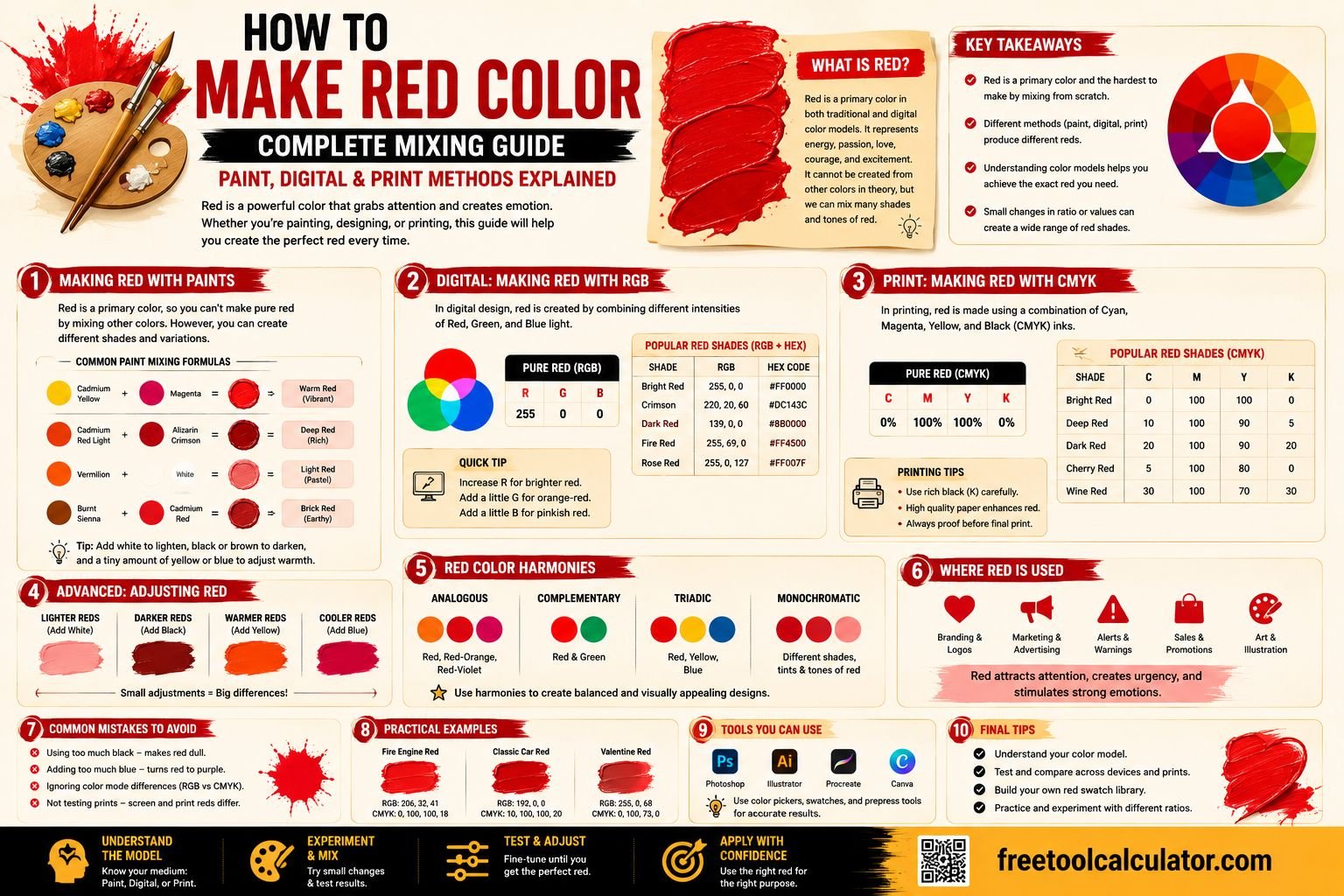
The answer depends entirely on the color system you’re using. In traditional painting, red is considered a primary color and cannot be created by mixing other paint colors. However, in digital design and printing, red can be produced using different color models such as RGB and CMYK.
If you frequently work with different color formats, our free Color Format Converter makes it easy to convert between RGB, HEX, CMYK, HSL, and other popular color models for both digital and print projects.
Quick Answer: Can You Make Red Color?
Yes and no—it depends on the color model.
- Traditional Paint Mixing: Red is a primary color, so it cannot be created by mixing other paint colors.
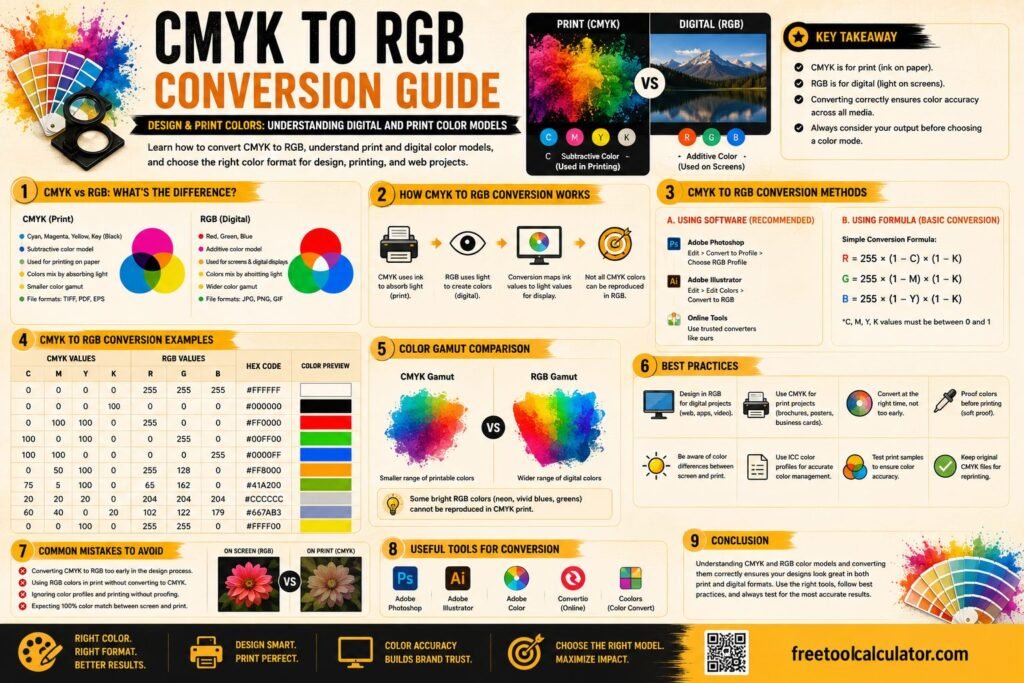
- RGB (Digital Displays): Pure red is created using maximum red light with no green or blue.
- CMYK (Printing): Red is produced by combining magenta and yellow inks.
Because different industries use different color systems, the method for creating red varies significantly between painting, graphic design, printing, and digital media.
Understanding Primary Colors
To understand why red behaves differently across mediums, it’s important to first understand primary colors.
Primary colors are colors that cannot be created by mixing other colors within a particular color model. Instead, they serve as the foundation for producing all other colors.
Traditional RYB Color Model
The traditional color wheel taught in art classes uses the RYB model:
- Red
- Yellow
- Blue
These three colors are considered primary because they cannot be created from other paint colors. Every secondary and tertiary color is produced by mixing these primary colors together.
Can You Mix Paint to Make Red?
In traditional painting, the answer is generally no. Since red is already one of the primary pigments, there is no combination of standard paint colors that produces a true primary red.
If you attempt to mix orange, pink, purple, or brown, you’ll simply create another variation of those colors—not genuine red.
Why Red Cannot Be Mixed Traditionally
Paint follows a subtractive color system. Every pigment absorbs certain wavelengths of light while reflecting others. Since red is already one of the base pigments, there is no earlier color combination available to create it.
This is why artists purchase red paint directly rather than attempting to mix it from other colors.
How to Make Different Shades of Red
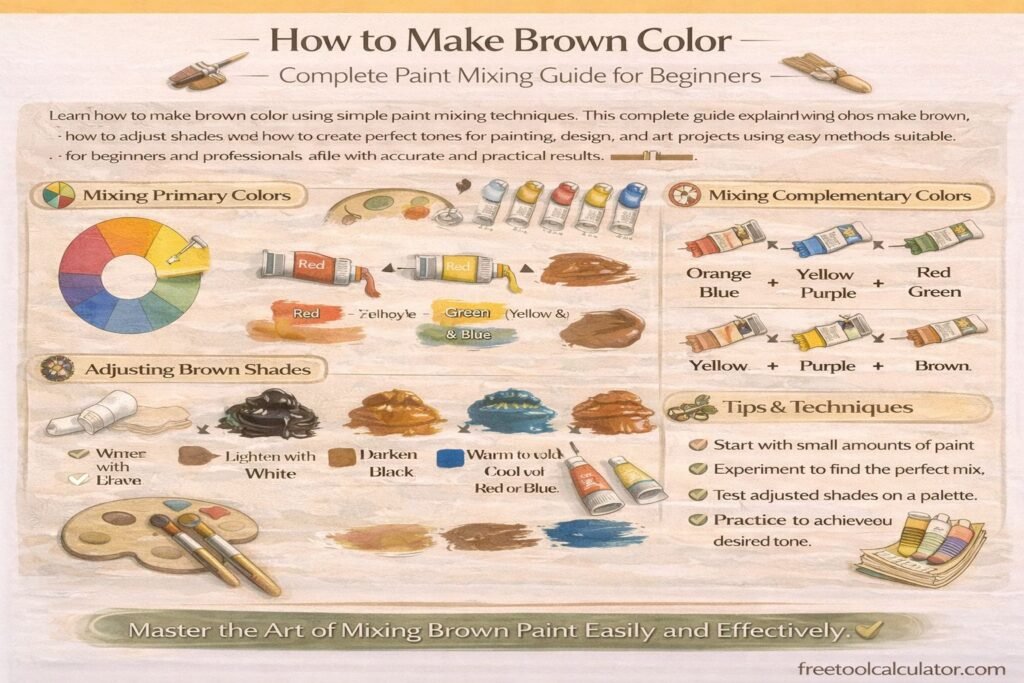
Although you cannot create pure red from other paint colors, you can create numerous shades, tints, tones, and variations of red by mixing it with other pigments.
Make Light Red
Mix:
- Red + White
This creates lighter reds, pinks, coral shades, and soft pastel colors.
Make Dark Red
Mix:
- Red + Black
Use black carefully because even a small amount can dramatically darken the mixture.
Make Warm Red
Mix:
- Red + Small Amount of Yellow
This produces warm reds that lean toward orange, making them ideal for sunsets, autumn artwork, and warm branding.
Make Cool Red
Mix:
- Red + Small Amount of Blue
This creates cooler reds with slight crimson or burgundy tones.
How to Make Red in RGB
Digital devices such as phones, laptops, televisions, and computer monitors display colors using the RGB color model.
RGB stands for:
- Red
- Green
- Blue
Instead of mixing pigments, RGB mixes light.
Pure RGB Red
| Color | RGB Value | HEX Code |
|---|---|---|
| Pure Red | 255, 0, 0 | #FF0000 |
This means:
- Maximum red light
- No green light
- No blue light
The result is bright digital red displayed on screens.
How to Make Red in CMYK
Commercial printers use a completely different color model called CMYK.
CMYK stands for:
- Cyan
- Magenta
- Yellow
- Black (Key)
Unlike RGB, printers create colors by combining ink rather than light.
Basic CMYK Red
Red is typically produced by combining:
- Magenta
- Yellow
Depending on the exact shade required, printers may also adjust the amount of black ink to produce darker reds.
Red Color Mixing in Different Paint Types
The way red behaves also depends on the type of paint you’re using.
Acrylic Paint
Acrylic paints dry quickly and retain vibrant colors. Artists commonly lighten acrylic red using titanium white or deepen it using burnt umber, ultramarine blue, or a small amount of black.
Watercolor Paint
Watercolors are transparent, allowing artists to build subtle variations of red through multiple light washes rather than thick layers.
Oil Paint
Oil paints blend more slowly, making them ideal for creating smooth transitions between warm reds, cool reds, and natural skin tones.
Common Red Pigments Used by Artists
Professional artists rarely use only one type of red. Instead, they choose pigments based on the desired warmth, transparency, and intensity.
| Pigment | Characteristics |
|---|---|
| Cadmium Red | Bright, warm, opaque |
| Alizarin Crimson | Cool, deep, transparent |
| Crimson Lake | Rich, dark red |
| Vermilion | Orange-red, vibrant |
| Scarlet | Bright warm red |
Understanding these pigments helps artists choose the best red for portraits, landscapes, abstract paintings, and graphic illustrations.
If you need to convert red between different digital color formats, our Color Format Converter makes the process simple. You can also explore the Color Theme Generator for matching color palettes and the Color Contrast Checker to ensure your red combinations remain readable and accessible.
How to Create Red Color for Digital Design
In digital design, creating red is much easier than mixing paint because you are working with light values instead of physical pigments. Designers usually define red using RGB, HEX, HSL, or CMYK values depending on the software and final use case.
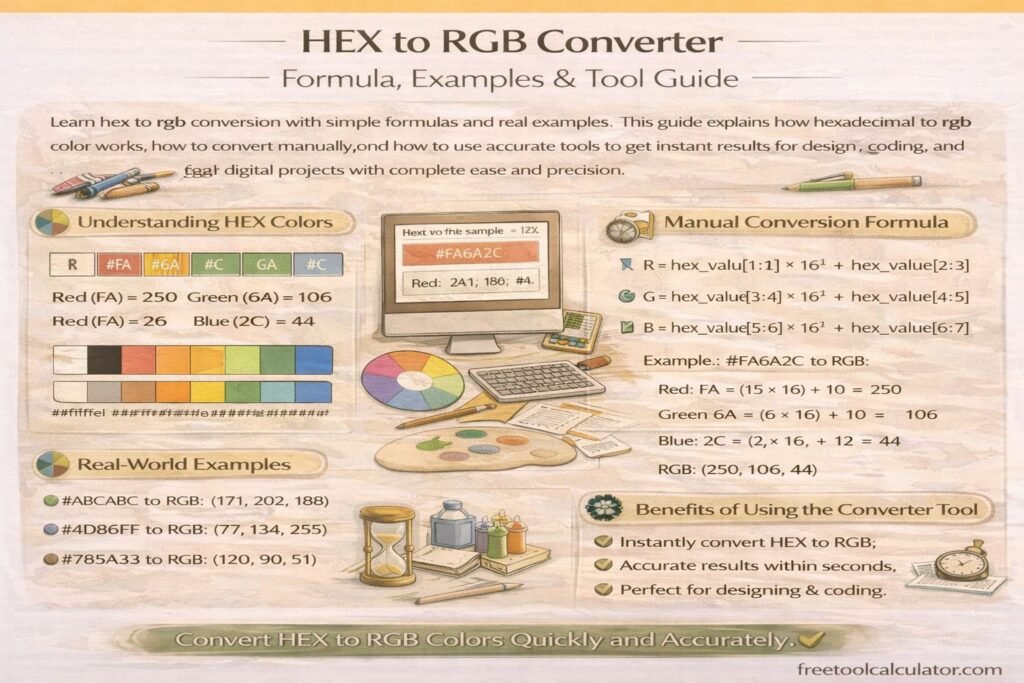
For websites and apps, red is commonly written as a HEX code or RGB value. For example, pure red is:
- RGB: 255, 0, 0
- HEX: #FF0000
Designers can adjust red by changing saturation, brightness, or hue. This allows you to create softer, darker, warmer, or cooler red shades without physically mixing paint.
Popular Digital Red Shades
| Red Shade | HEX Code | RGB Value |
|---|---|---|
| Pure Red | #FF0000 | 255, 0, 0 |
| Crimson | #DC143C | 220, 20, 60 |
| Dark Red | #8B0000 | 139, 0, 0 |
| Firebrick | #B22222 | 178, 34, 34 |
| Tomato | #FF6347 | 255, 99, 71 |
| Indian Red | #CD5C5C | 205, 92, 92 |
How to Make Red Paint Darker
To make red paint darker, avoid adding too much black immediately. Black can overpower red and create a muddy or lifeless color. Instead, add darker colors gradually until you reach the shade you want.
Best Colors to Darken Red
- Black: Creates very dark red, but should be used sparingly.
- Burnt Umber: Produces rich, earthy red tones.
- Ultramarine Blue: Creates deeper burgundy or wine-red shades.
- Dark Brown: Makes natural brick or rust-colored reds.
- Purple: Creates cool, dramatic red tones.
For best results, add the darker color in tiny amounts and mix thoroughly before adding more.
How to Make Red Paint Lighter
To make red paint lighter, artists usually add white. However, adding too much white changes red into pink. If you want a lighter red without making it look too pastel, add white slowly or mix in a warm light color.
Best Colors to Lighten Red
- White: Creates pink and soft red tints.
- Yellow: Creates warmer coral-red and orange-red tones.
- Light orange: Keeps the red warm and vibrant.
If your goal is a bright red rather than pink, avoid adding too much white.
How to Make Red Warmer or Cooler
Red can lean warm or cool depending on what you mix with it. This is important in painting, branding, fashion design, and digital color selection.
Warm Red
To make red warmer, add a small amount of yellow or orange. Warm reds feel energetic, bold, and lively. They are often used for food branding, sports graphics, sunsets, and attention-grabbing designs.
Cool Red
To make red cooler, add a small amount of blue or purple. Cool reds often look more elegant, deep, and dramatic. They are commonly used in luxury branding, cosmetics, fashion, and moody artwork.
Common Mistakes When Mixing Red
Red is a strong color, so small changes can significantly affect the final result. Avoid these common mistakes when mixing or creating red.
Trying to Mix Pure Red from Other Paints
In traditional paint mixing, pure red cannot be made from other colors because it is a primary pigment. Start with a red paint and adjust it to create the shade you need.
Adding Too Much Black
Black can quickly overpower red and create muddy colors. Use black carefully or try burnt umber, dark brown, or ultramarine blue for richer dark reds.
Using the Wrong Red Pigment
Different red pigments behave differently. Cadmium red is warm and bold, while alizarin crimson is cooler and deeper. Choosing the wrong starting red can make mixing more difficult.
Ignoring the Final Medium
A red color that looks perfect on a screen may print differently or appear different when mixed in paint. Always consider whether your final project is digital, printed, or physical artwork.
Best Uses of Red in Design and Art
Red is powerful because it immediately attracts attention. It is commonly used when designers want to create urgency, energy, excitement, or emotional impact.
Branding
Red is often used in food, entertainment, sports, retail, and emergency-related branding because it feels bold and memorable.
Web Design
Red can work well for buttons, alerts, sale labels, and calls to action. However, it should be balanced carefully so the design does not feel overwhelming.
Painting
Artists use red for flowers, clothing, sunsets, skin tones, abstract art, and emotional focal points.
Print Design
In printed materials, red can highlight important messages, promotions, warnings, or brand elements.
Helpful Color Tools
If you work with color regularly, using the right tools can save time and improve accuracy. These free tools can help you create, convert, and test red color combinations for digital and print projects.
- Color Format Converter – Convert red and other colors between RGB, HEX, CMYK, HSL, and more.
- Color Theme Generator – Create balanced color palettes using red and complementary shades.
- Color Contrast Checker – Check whether red text or backgrounds meet readability standards.
- CSS Gradient Generator – Build smooth red gradients for websites and digital graphics.
Frequently Asked Questions
What colors make red?
In traditional paint mixing, red cannot be made by mixing other colors because it is a primary color. In printing, red can be created by combining magenta and yellow. In digital design, red is created using red light in the RGB color model.
How do you make red paint?
You generally cannot make pure red paint from other paint colors. Artists usually start with a red pigment such as cadmium red, crimson, scarlet, or vermilion, then adjust it by adding white, black, yellow, blue, brown, or purple.
How do you make dark red?
To make dark red, mix red with a very small amount of black, burnt umber, dark brown, blue, or purple. Add the darker color slowly to avoid making the mixture muddy.
How do you make bright red?
Use a strong, clean red pigment such as cadmium red or scarlet. Avoid adding too much white, black, blue, or brown because these can reduce brightness.
What is the RGB value for red?
The RGB value for pure red is RGB(255, 0, 0). Its HEX code is #FF0000.
Conclusion
Learning how to make red color depends on the medium you are using. In traditional painting, red is a primary color and cannot be created from other paint colors. However, you can create many red variations by adjusting red with white, black, yellow, blue, brown, or purple.
In digital design, red is created using RGB values, while in printing, red is usually produced by combining magenta and yellow inks. Understanding these differences helps artists, designers, printers, and marketers choose the right red for every project.
For quick color conversions, use the free Color Format Converter. You can also explore the Color Theme Generator, Color Contrast Checker, and CSS Gradient Generator to build professional red-based palettes for design, print, and web projects.